
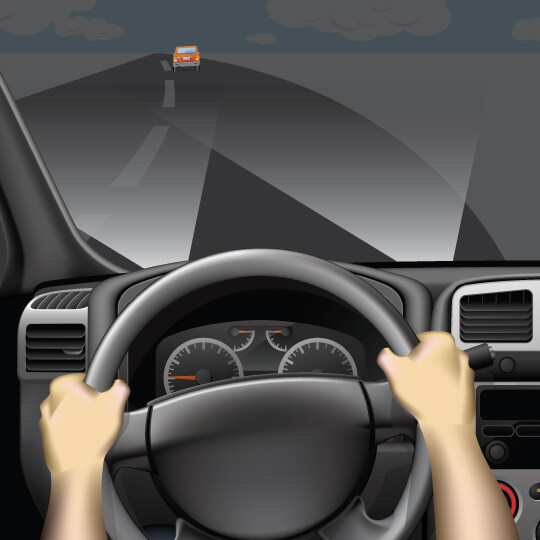
1. USE
Adaptive headlights adjust to help you see on dark curved roads and over hills.
Adapts to changing roadway conditions – such as curves – to better help illuminate the roadway along your path.
WHAT IT DOES:Headlights actually move side to side as the steering wheel turns.
WHAT IT DOES NOT DO: Does not automatically switch from low beams to high beams.
Adaptive headlights adjust to help you see on dark curved roads and over hills.
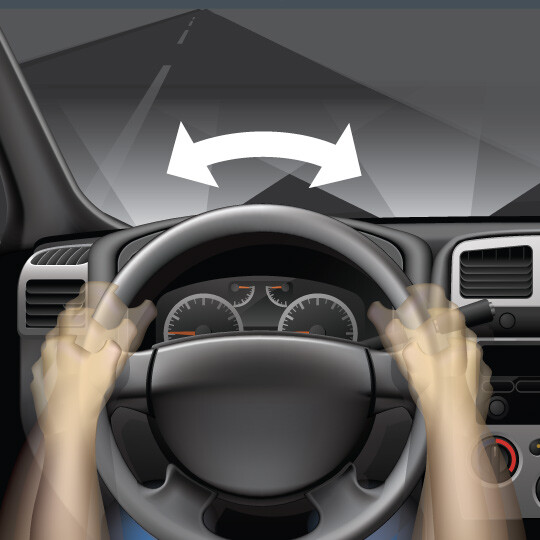
They move when you steer.
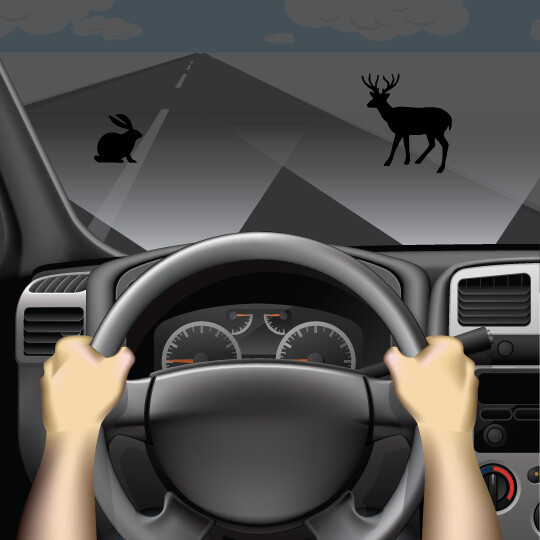
Be aware of objects ahead.
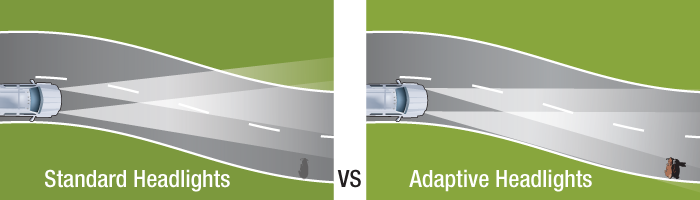
Adaptive headlights better illuminate the driving environment compared with traditional headlights, allowing you to see more at night or in low-light conditions.
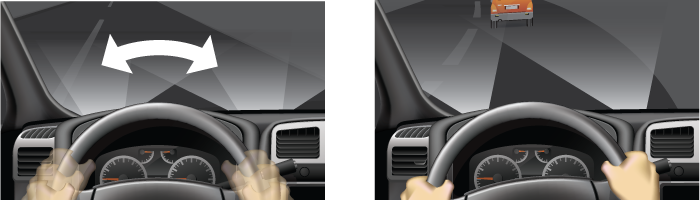
Unlike traditional headlights, which are in a fixed position and only capable of illuminating directly in front of you, adaptive headlights are not in a fixed position at all times. These headlights use electronic sensors that can detect your steering angle to swivel based on the direction your car is heading.
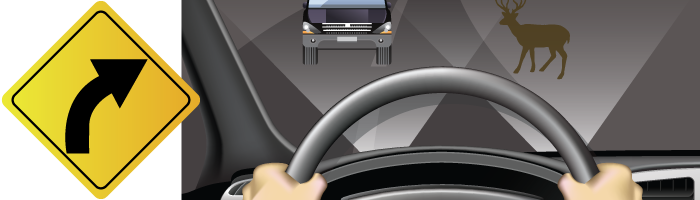
Use these headlights as you normally would and pay attention to any objects or vehicles that are illuminated by them – especially on curves. As always, make sure to scan ahead while driving for potential obstacles or road hazards.
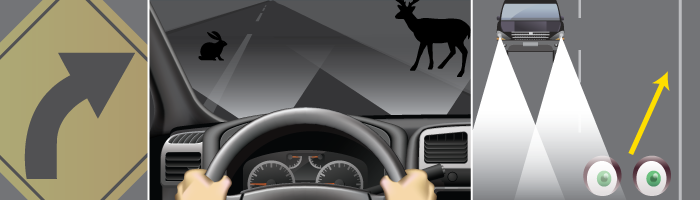
Adaptive headlights, as currently marketed, are primarily intended to move side-to-side to help illuminate curves and corners. Some versions of this feature – or other types of features altogether – are capable of moving up and down. This capability is helpful for seeing up and down sharp inclines.
Auto-dimming headlights are separate features from adaptive headlights; but if you have adaptive headlights, this feature may have been packaged with it. Check your owner’s manual or with your dealership to find out more about what your headlights’ capabilities are.
Content Source: MyCarDoesWhat.org
This feature can sense slow or stopped traffic ahead and urgently apply the brakes if the driver fails to respond.
WHAT IT DOES:Uses sensors to track cars ahead and automatically slam on the brakes in an impending crash.
WHAT IT DOES NOT DO:It can’t always prevent a rear end collision, but may lessen the severity.
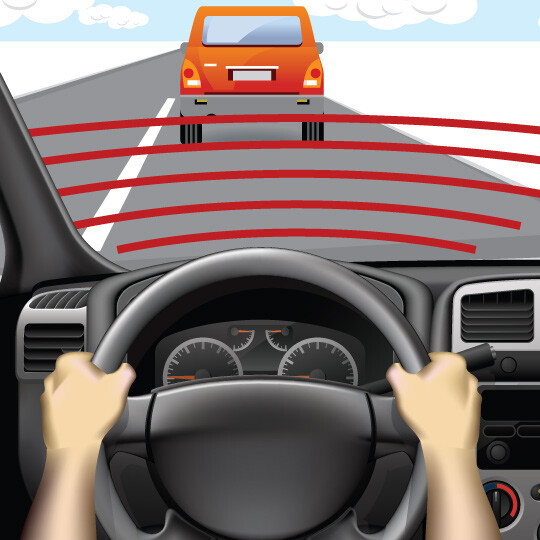
Scan the road for hazards and maintain a safe following distance.
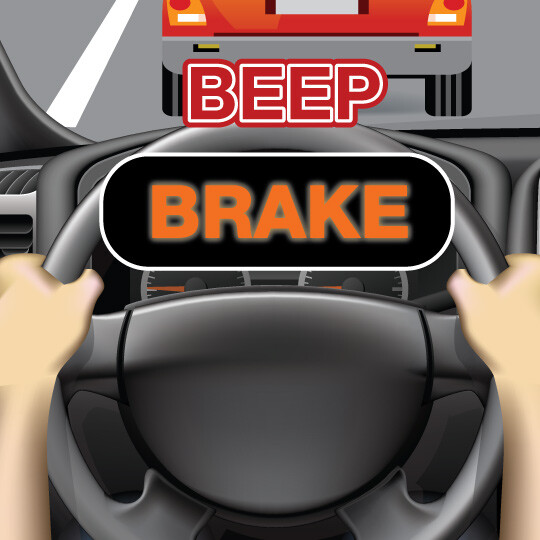
If in a collision imminent situation and you have not responded, the car will automatically brake hard. Warning tones and other visual alerts may also activate during or after the emergency event.
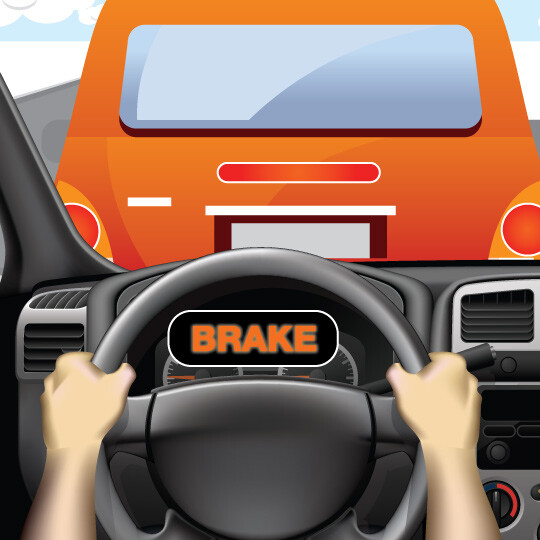
Brake or steer to avoid the hazard ahead. If you don’t, the vehicle will slow down rapidly or stop on its own to avoid a crash.
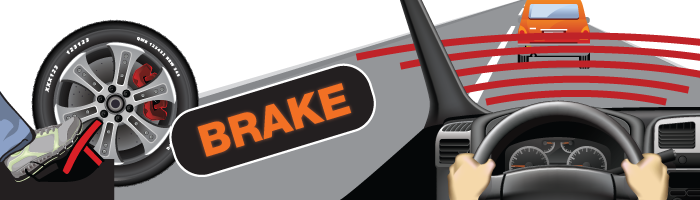
This feature may typically be paired with a feature called forward collision warning. That feature scans the road ahead while you drive, warning you if you’re about to crash into a car. If you don’t react in time, automatic emergency braking quickly slows down your car or can even bring your car to a stop.
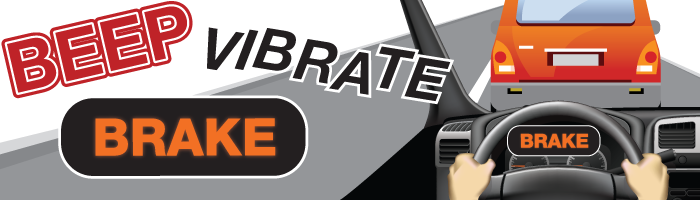
Sensors located in the front of your car are able to detect how close you are to the car ahead. These typically are camera- or radar-based sensors. Warnings can be sounds, visual or vibrations, or a mix of warnings. If your car begins to brake, this will also act as an alert.

Read your car manual or ask your dealer how your specific system works. These systems are not standard and vary from model to model. Automatic emergency braking is not fool-proof. Always keep a safe following distance from the traffic ahead. Stay focused on the road.

You may find this feature marketed under one of the following names, or others:
Automatic emergency braking is generally designed to activate at highway speeds, as long as the forward collision warning sensors are able to detect the vehicle ahead. Newer systems work at slower speeds in towns.
However, not all automatic emergency braking features are able to bring your car to a full stop. At speeds faster than normal highway speeds, automatic emergency braking may still be able to help slow you down enough that you can avoid the hazard.
Automatic emergency braking and forward collision warning features are optimized to detect other vehicles in front of you while you drive. However, not all features will be capable of detecting motorcycles, bicycles and other vehicles smaller than a car. This is why you should always be aware of your surroundings and the traffic ahead, and never fully rely on a feature such as automatic emergency braking to help prevent you from being in a crash.
Content source: MyCarDoesWhat.org
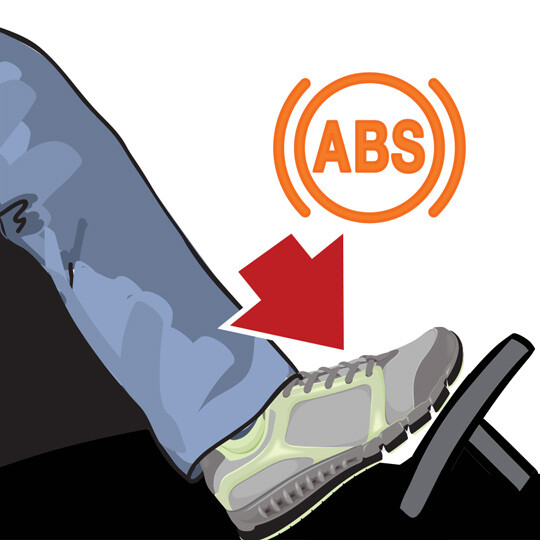
Apply firm pressure to brake pedal.
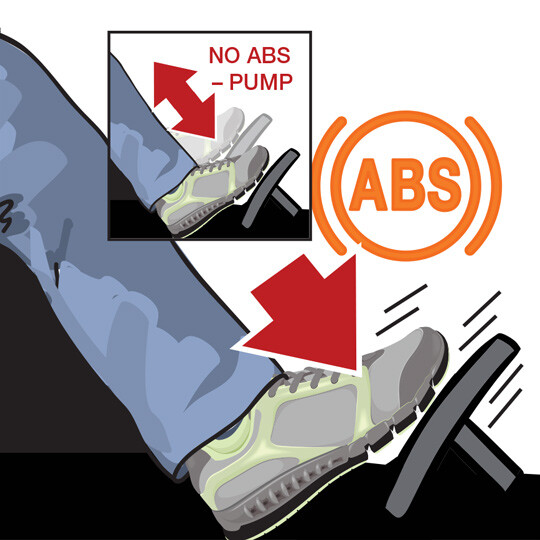
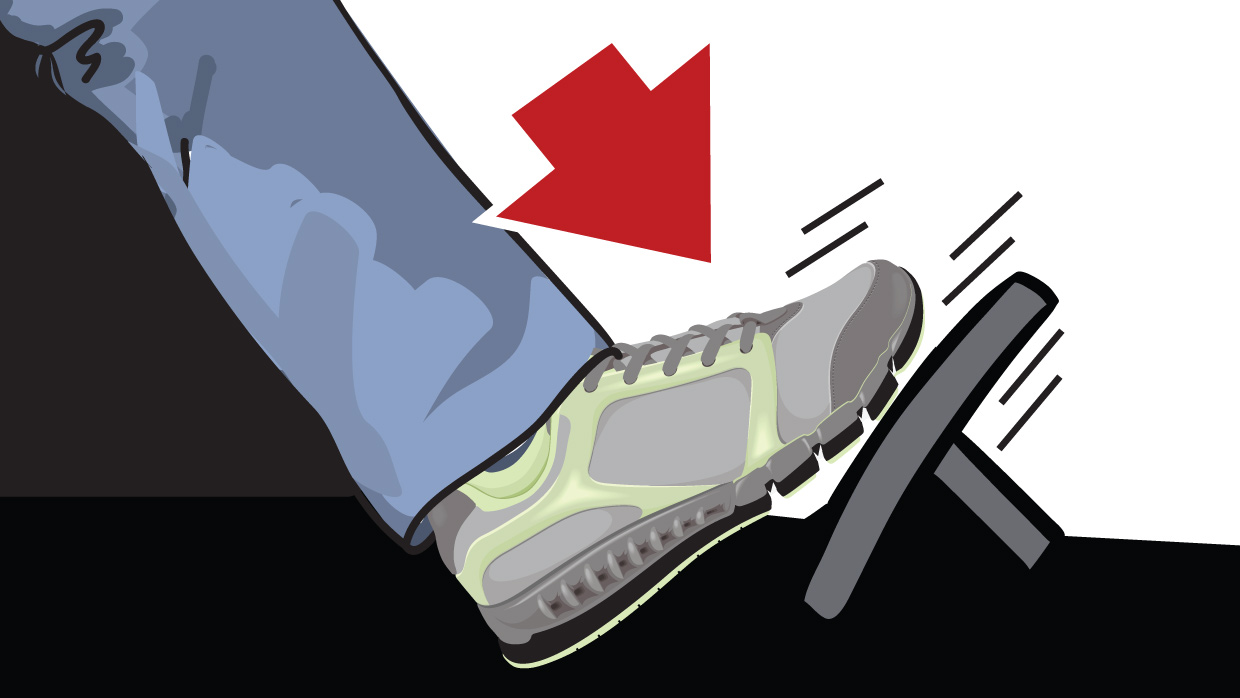
Press and hold pressure to the brake pedal.
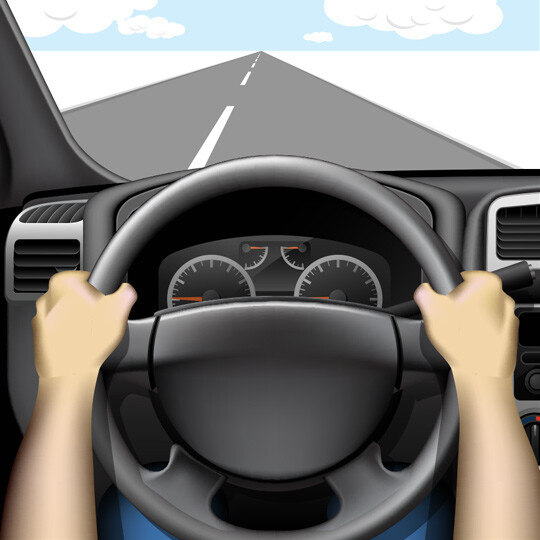
Steer to safety.
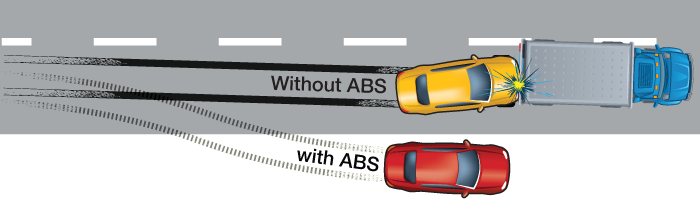
Four-wheel anti-lock brakes help you steer as you brake during an emergency.
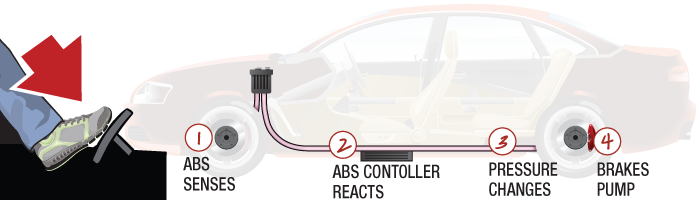
Wheel sensors detect when your car’s tires begin locking up. Then, they rapidly apply and release (pulse) the brakes to automatically keep your tires from skidding.
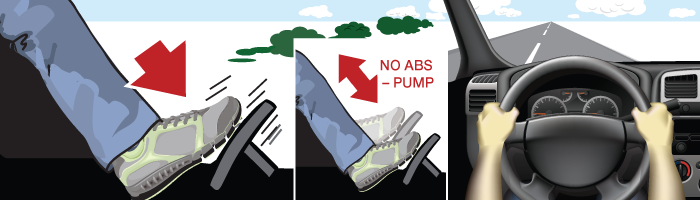
When you feel or hear the ABS vibrating, continue to firmly press and hold the brake – then steer to safety.
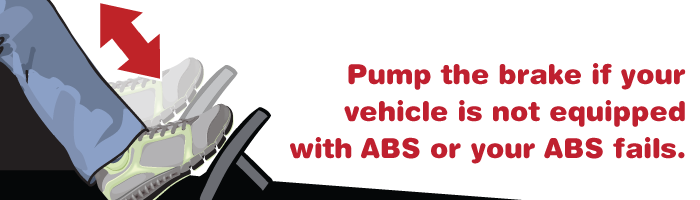
The most common names for anti-lock braking systems include “anti-lock brakes” and simply “ABS.”
Yes and no. In emergencies, 4-wheel ABS can activate and pump the brakes faster than most drivers could on their own. That’s why on most road surfaces, 4-wheel ABS is more likely to stop your car faster than a car without it.
However, 4-wheel ABS can actually increase stopping distance on some very slippery surfaces, such as lightly packed snow or ice on the road.
No. ABS works best when you firmly hold the brake, and allow it to manage the details of emergency braking.
While 4-wheel ABS is meant to aid steering and is found in nearly all new cars and minivans, rear-wheel-only ABS – which is typically found in some pickup trucks, vans and SUVs – is only designed to help prevent those vehicles from spinning out on slippery surfaces.
Check your owner’s manual to see if you car has 4-wheel ABS, rear-wheel-only ABS or does not have ABS.
Over the past 10 years, most car manufacturers have made ABS standard in their vehicles. The federal government required all new cars to have ABS by September 1, 2011.
Content source: MyCarDoesWhat.org
Learn more about Modern Car Safety Features at https://mycardoeswhat.org/
Nearly every car on the road today has safety features that can help drivers be safer. You may already know some of these, and some you may not even realize what your car has! Come back to this page often as more and more features are being developed and added to cars.
Many of these new safety features are not yet standardized. Your car’s features may be different than someone else’s. Be sure to check your owner’s manual to best understand how your car works. You can also check out the Research & Blog section for the latest developments in car safety technology.
New car safety features help keep you safe. Car technology may even prevent a crash or save a life. Do you know how to use these features? Which ones are already in your car? Plain spoken instructions, animation and graphics are at MyCarDoesWhat.org. – From back-up cameras to automatic braking to traction control and beyond. Knowing more will help keep you, your family and others safer on the roads.
Cabin air filter change
TITLE CARD: DO I NEED A NEW CABIN AIR FILTER?
Brought to you by Quick Lane®
Brought to you by Ford Service
Music: Love me right: by The Swag Geeks
TITLE CARD: CABIN AIR FILTER
Question: Why should I replace my Cabin air filter?
VO: Most cars now come equipped with a cabin air filter…
VO: that filters out up to 90% of dust…
VO: pollen…
VO: and other airborn particles that pass through your air vents.
VO: Creating a healthier, more comfortable cabin environment whenever you use your air conditioner…
VO: heater…
VO: or fan.
Question: How do I know I need it changed?
VO: Fact is…
VO: just like your home’s furnace air filter…
VO: Over time, dust and dirt build up, which prevents it from doing its job efficiently.
VO: When this happens…
VO: you may notice reduced air flow through your vents…
VO: SMELL bad odors…
VO: or SEE a dusty build-up on the dash and instrument panel, or around the vents…
VO: Which means it’s time to replace your cabin air filter.
QUESTION: How often should I change it?
VO: It’s recommended that you replace your cabin air filter about every 15,000 miles.
VO: However, this can depend on how much and where you drive.
VO: Check your owner’s manual for recommended change intervals.
VO: Call to schedule an appointment
SUPER: Schedule an appointment
VO: to see our factory-trained technicians.
SUPER: Factory-trained Technicians will service your vehicle
Ford Service Logo
Tagline: Ford Service – Go Further.
YouTube
Cabin air filter
This helpful video will explain how the cabin air filter in your vehicle helps filter out dust and pollen for a more comfortable interior environment, and tell you some of the signs that may indicate it may be time to replace your cabin air filter.
Keywords: cabin air filter, air filter, interior, dust, pollen, air born particles, filter, air conditioner, ac, heater, fan, climate system, reduced air flow, bad odor, ford service, quicklane, quick lane
TITLE CARD: WHY IS REGULAR MAINTENANCE IMPORTANT?
Brought to you by Quick Lane®
Brought to you by Ford Service
Music: Love me right: by The Swag Geeks
TITLE: The Works [logo]
Question: Why do I need regular maintenance?
VO: Fact is: Parts wear out over time.
VO: You pretty much name it and it’ll need replacing sooner or later.
VO: routine checkups…
VO: help to ensure your vehicle stay in good working condition.
VO: And in the long run, can help save you money.
VO: Remember, not keeping up with regular checkups…
VO: may also affect your Manufacturer’s warranty.
Question: Aren’t all checkups the same?
VO: Nope!
VO: Most shops only change your oil, top off fluids and put air in your tires.
Question: Is there something better?
VO: Yes!
VO: “The Works” it’s like going to your doctor for a checkup…
VO: but for your vehicle.
VO: Making sure EVERYTHING is working in top condition…
VO: Like belts and hoses…
VO: Brakes…
VO: battery…
VO: and so much more.
VO: We’ll even rotate your tires.
VO: In order to help your vehicle perform at its best longer.
Question: When should I do it?
VO: Since each part may need attention at different times…
VO: we recommend following your owner’s manual maintenance schedule.
VO: Call to schedule an appointment
SUPER: Schedule an appointment
VO: to see our factory-trained technicians.
SUPER: Our Factory-trained Technicians will service your vehicle
Quick Lane Logo
Tagline: Quick Lane® – Tire & Auto Center
YouTube
Why is Regular Maintenance Important?
This helpful video will explain why it’s important to keep up with maintenance on your vehicle, and why getting The Works is the perfect way to ensure it lasts a long time.
Keywords: the works, maintenance, ford service, quicklane, quick lane, battery, oil, filter, brakes, hoses, belts, tires, rotate, swag geeks, Love me right
| SUPER
|
AUDIO |
| Availability varies by model. See dealer for details.
See your owner’s manual for more details.
|
VO: You might be interested to know that your vehicle can help you parallel and perpendicular park.
VO: And help guide you out of a tight parallel parking spot! VO: It can also let you know if there are any objects in front of, behind, or next to your vehicle.
|
|
|
VO: Let me explain.
|
|
Driver-assist features are supplemental and do not replace the driver’s attention, judgment, and need to control the vehicle. Vehicle must be driving at or below 20 mph. The system will automatically default to the passenger side if not indicated.
Location of button may vary
|
VO: To activate the Enhanced Active Park Assist feature, press the Active Park Assist button on the center console, here…
VO: then signal to indicate which side you’d like the system to search.
|
| You must be within 2‘ to 5‘ from the parking space for the system to operate
|
VO: An information screen will appear on your center display…
VO: and the system will begin to scan for available parking spots.
|
| Always be prepared to use the brake pedal to stop. Vehicle must be kept under 6 mph while parking.
|
VO: Once an appropriate spot is found…
VO: you’ll hear a chime… VO: and see a “Spot found” message on your touchscreen.
VO: Then, simply follow the prompts on your touchscreen. VO: You’ll be responsible for driver controls such as, accelerating, shifting and braking as needed. VO: And be sure to watch your mirrors and your surroundings for any objects, which you may be getting too close to.
|
| You must be within 2’ to 5’ from the parking space for the system to operate. Always be prepared to use the brake pedal to stop.
|
VO: In addition, the system can help you back into a perpendicular–non-angular–or traditional parking spot.
VO: While traveling under 20 mph and about 3-feet from other vehicles, just press the Active Park Assist button 2 times… VO: signal to indicate which side you want to park on… VO: pull up past the parked cars you want to park near… VO: then simply follow the instructions on your touchscreen. VO: Accelerating, shifting and braking as needed.
VO: Keep in mind: you can cancel the parking processes at any time by grabbing the steering wheel – or pressing the activation button again.
|
| A vehicle must be parked in front of you in order for park out assist to work
Always be prepared to use the brake pedal to stop
|
VO: Active Park Assist can also help you get out of a tight parallel parking space, which is great if someone has parked too close in front of – or behind you.
VO: Just press the same Active Park Assist button you used to park… VO: let go of the steering wheel… VO: and follow the prompts displayed on your touchscreen. VO: Once again, you just accelerate, shift and brake as needed.
VO: If, by chance, the system doesn’t automatically engage when you turn the ignition on… VO: you can press the soft touch button on the SYNC screen and then press Park Out Assist and follow the prompts.
|
| If equipped.
Display will appear in upper-right corner of display screen or centered on the screen.
|
VO: Your vehicle also has something called Side Sensing.
VO: It is an enhancement to your Forward and Reverse Sensing Systems. VO: It uses a chime… VO: and a visual diagram display on your touchscreen with red, yellow and green highlights to indicate where the closest object to your vehicle is detected. VO: Red indicates the closest, and green the farthest away.
VO: One more thing: In order for the system to function properly, sensors must be clear of snow, ice or mud. |
| ©2018 Ford Motor Company. Specifications and descriptions contained within are based upon the most current information available at the time of release. Vehicles shown may include optional features. See your dealer for complete details regarding availability of features.
|
VO: Any questions? Go to Owner.Ford.com
|
Enhanced Active Park Assist
This informative video will explain how to activate the Enhanced Active Park Assist on your vehicle and how it can help you parallel park, maneuver out of a tight parking spot and help detect items hidden from view.
Keywords: Enhanced Active Park Assist, Side Sensing System, parallel park, part assist, Active Park Assist button, parking spot, information screen, center display, chime, spot found, red, yellow, green, guidelines
Vehicle Availability:
2015 – Edge
2016 – Edge, ADD Explorer
2017 – Edge, Explorer, ADD Escape, ADD Fusion, ADD Fusion Hybrid, ADD Fusion Energi
2018 – Edge, Explorer, Escape, Fusion, Fusion Hybrid, Fusion Energi, ADD Expedition
2019 – Edge, Explorer, Escape, Fusion, Fusion Hybrid, Fusion Energi, Expedition, ADD Transit Connect
| SUPER
|
AUDIO |
| Charges one phone at a time | VO: You may be interested to know that your vehicle may be equipped with a wireless charging pad that gives you the power to charge your smartphone without the need for a cord.
|
| VO: Let me explain.
|
|
| VO: It’s located inside the center console of your vehicle, and allows you to charge a wide range of compatible devices, such as smartphones of various sizes with built-in wireless charging capability.
VO: It can also help maintain a full charge while streaming audio or making calls through your available SYNC 3 System.
|
|
| The charger could automatically shuts itself off if coins or other metals come between the device and charging pad, and those objects heat up enough to exceed safe battery temperature limits. | VO: Simply set the phone, charging side down, on top of the pad, and it automatically senses and begins charging the device.
VO: You’ll get a message in your information screen indicating that charging has begun.
|
| Not all phones are compatible with wireless charging. Devices without built-in wireless charging require an additional charging receiver or sleeve. Wireless phone charger supports Qi.
iPhone is a trademark of Apple Inc., registered in the U.S. and other countries. |
VO: Keep in mind: The rate of charging is determined by the device.
VO: Plus, while iPhone 8 and later models are compatible with the charging pad, earlier versions require the use of a manufacture-approved charging sleeve. |
| Wireless charging devices can affect the operation of implanted medical devices, including cardiac pacemakers. If you have any implanted medical devices, we recommend that you consult with your physician first. | VO: One more thing you’ll appreciate…
VO: You can charge your device even if the vehicle is not turned on just as long as it’s in accessory mode.
|
| ©2018 Ford Motor Company. Specifications and descriptions contained within are based upon the most current information available at the time of release. Vehicles shown may include optional features. See your dealer for complete details regarding availability of features.
|
VO: Any questions? Go to Owner.Ford.com.
|
YouTube: Inductive wireless charging
This easy to follow video will explain how to use the available wireless charging pad to help keep electronic devices fully charged without having to plug them in.
Keywords: wireless charging pad, devices, smartphone, tablet, cell phone, sync 3 system, center console, message, touchscreen, information cluster, display, iphone, android, iphone 8, iphonex, charging sleeve, accessory mode
| SUPER
|
AUDIO |
| Available Pre-Collision Assist with Automatic Emergency Braking on 2019 model year or newer
Driver-assist features are supplemental and do not replace the driver’s attention, judgment and need to control the vehicle. While Pre-Collision Assist with Automatic Emergency Braking may be especially helpful in unexpected situations, it does not replace the driver, and has limitations, including vehicles moving in different directions and certain weather conditions. See owner’s manual for system limitations.
|
VO: Your vehicle may be equipped with a unique system designed to help detect and potentially avoid frontal-collision situations with other vehicles and pedestrians.
VO: Let me tell you about it.
|
|
|
VO: Pre-Collision Assist with Automatic Emergency Braking is a driver-assist system that monitors the road ahead of you while driving.
VO: It even works at night when your vehicle’s lights are on.
|
| Pre-Collision Assist is active at approximately 3 mph. Pedestrian Detection is active up to 50 mph.
Pedestrian Detection can detect pedestrians, but not in all conditions and does not replace safe driving. See owner’s manual for system limitations. |
VO: If a collision risk with another vehicle or pedestrian is detected, the system will deliver several warnings, and may help you slow down or stop your vehicle.
|
| The system does not detect, warn or respond to a potential collision with vehicles to the rear or sides of the vehicle.
|
VO: Here’s how it works:
VO: If you’re rapidly approaching a stationary vehicle… VO: or one that’s moving in the same direction… VO: or a pedestrian is crossing your path, the system can alert you and assist with braking in one of three ways.
|
| VO: First, you’ll receive an audible chime…
VO: along with a “Pre-Collision Assist” warning message on the Information Display.
|
|
| VO: Next, if the risk of a collision further increases after the warning alerts are given, the system’s Brake Support feature will pre-charge the brakes for rapid braking.
VO: This way they’ll respond faster once the brake pedal is pressed.
|
|
| The system does not replace the driver’s need to apply the brakes
|
VO: And finally, if the system determines that a collision is imminent, it may apply Automatic Emergency Braking without driver input to help reduce impact damage or potentially avoid a crash completely.
|
| VO: Once your brakes have been pre-charged, even if you press them lightly, the Automatic Emergency Braking feature may apply full braking force to help stop your vehicle quickly.
|
|
| Refer to “Information Displays” chapter in your owner’s manual
|
VO: One more thing: You can change the system’s alert sensitivity to one of three settings by using the 5-way control on your steering wheel and the Information Display.
|
| VO: From the settings menu, scroll to “Driver Assist”…
VO: “Pre Collision”… VO: “Alert Sensitivity”… VO: and then select “High”… VO: “Normal”… VO: or “Low.” VO: A lower setting can send fewer warnings, while a higher setting will give earlier, more frequent warnings.
|
|
| The Active Braking feature will reset to “Enabled” each time the ignition is turned off
|
VO: You can also enable or disable Automatic Emergency Braking under the same menu by checking or unchecking the Active Braking feature.
|
| ©2018 Ford Motor Company. Specifications and descriptions contained within are based upon the most current information available at the time of release. Vehicles shown may include optional features. See your dealer for complete details regarding availability of features.
|
VO: Any questions? Go to Owner.Ford.com
|
YouTube: Pre-Collision Assist with Automatic Emergency Braking
This video explains how Pre-Collision Assist with Automatic Emergency Braking works to detect potential frontal collisions with other vehicles or pedestrians, and can alert the driver with auditory and visual warnings. Plus, Brake Support technology can pre-charge the brakes to assist during Automatic Emergency.
Keywords: precollision technology, precollison assist, automatic emergency braking, automatic brakes, collision warning, brake support, alert, warning light, warning chime, precharge brakes, brake support, brakes, brake pedal, stopping, windshield, information display, warning system, active braking, sensitivity setting, settings, sensors, pedestrian detection
Vehicle Availability:
2019 – Mustang, Edge, Fusion, Fusion Hybrid, Fusion Energi, Ranger, F-150, F-250, F-350, F-450, F-550, Transit Connect



Warranties include 5-year/60,000 mile powertrain and 3-year/36,000 basic. All warranties and roadside assistance are limited. See retailer for warranty details.