
Timeline Vehicle safety technology: Through the years Download a PDF of the Safety Features Timeline Download a PDF of the Safety Features Timeline Content Source: MyCarDoesWhat.org
Timeline Vehicle safety technology: Through the years Download a PDF of the Safety Features Timeline Download a PDF of the Safety Features Timeline Content Source: MyCarDoesWhat.org
Test Cities Test cities for automated vehicles... coming to a town near you? AUTOS REVOLUTION “IT SEEMS AN AUTOS REVOLUTION IS UPON US.” —Consumer Reports April 2017 From Arizona to Massachusetts, the move toward fully automated vehicles is picking up speed. Since 2012, no fewer than 41 states and the District of Columbia have considered laws pertaining to fully automated vehicles on roadways. At least 13 states have ratified some sort of legislation: Alabama, Arkansas, California, Florida, Louisiana, Michigan, New York, Nevada, North Dakota, Pennsylvania, Tennessee, Utah and Virginia —and Washington D.C. Governors in Massachusetts and Arizona have issued executive orders encouraging testing on their roads with extensive programs already underway. Why are states so interested? Are fully automated vehicles going viral? Politicians, researchers and business leaders hope to earn the mantle of “early adopter” attracting research and investment to their region. It could put them on the map. Another major motivator is reducing crashes and traffic deaths: 94 percent of traffic crashes are the result of human error. Computer controlled cars using Advanced Driver Assistance Systems (ADAS) could greatly reduce crashes. ADAS is the suite of technologies that are today’s stepping stones to automated vehicles. When cutting-edge vehicles or new transportation models (e.g. rideshare, car share, etc) roll into town, governments want to make sure their cities are safe for traditional and automated vehicles alike. For a worldwide map of autonomous vehicle test cities, visit https://avsincities.bloomberg.org/. Silicon Valley of Firsts If any place could be crowned the birthplace of “automated vehicles,” it would be Silicon Valley in California. Home to Apple, Google’s Waymo (now Alphabet), Intel, NVIDIA and Tesla, just to name a few, this high-tech, venture capital hub is 45 miles south of the San Francisco Bay Area. California has had some of the first legislation for testing automated vehicles with safety drivers behind the wheel. It is not uncommon to see cars throughout California adorned with cameras and radar devices roaming the streets. California has legislated that these test miles must be conducted with an approved safety pilot behind the traditional “driver’s wheel” of the vehicle. You can find more information about California’s legislation here: www.dmv.ca.gov/portal/dmv/detail/vr/autonomous/auto Rust Belt Getting New Luster In 2015, Uber ventured out of its Silicon Valley comfort zone, landing in Pittsburgh to set up the Advanced Technologies Center at Carnegie Mellon University. Pittsburgh offered an environment that the Bay Area could not: snowy weather. PennDOT, the Pennsylvania Department of Transportation, has been given broad authority to administer the Automated Vehicle Testing Policy. PennDOT requires the proper onboard technology and a driver must be sitting behind the wheel, ready to intervene if necessary. Of course, the driver still must perform the human-to-human, ride-sharing customer interface function. Detroit, with its long automotive history, also is leading major efforts in automated vehicle research and development. According to Wired Magazine (April 2017), Ford and GM operations in Michigan have made major advancements – giving Silicon Valley companies a run for their money. 10 Cities Designated as Official Test Cities In January 2017, the U.S. Department of Transportation designated 10 proving ground pilot sites for the testing of automated vehicles. The 10 out of 60 applicants were selected for their unique attributes, preparedness for higher levels of testing and previous infrastructure. More at: https://www.transportation.gov/briefing-room/dot1717. Former U.S. DOT Secretary Anthony Foxx says this designation will encourage cities to openly share best practices while accelerating the pace of safe deployment. One such test site is the Iowa City-Cedar Rapids corridor. Home to The University of Iowa, this area is known for its state-of-the-art vehicle safety research, including the world renowned National Advanced Driving Simulator. The state is in the process of creating high-definition road maps that will guide automated vehicles and possibly attract other researchers to the area. The Iowa City region also offers diverse driving landscapes and wide ranging weather conditions. Below are the other sites that were selected. City of Pittsburgh and the Thomas D. Larson Pennsylvania Transportation Institute Texas AV Proving Grounds Partnership U.S. Army Aberdeen Test Center American Center for Mobility (ACM) at Willow Run Contra Costa Transportation Authority (CCTA) & GoMentum Station San Diego Association of Governments University of Wisconsin-Madison Central Florida Automated Vehicle Partners North Carolina Turnpike Authority “When are you going to see a robot on Interstate 80? That is, I think, a very long-range future,” says Dan McGehee, director of the National Advanced Driving Simulator at the University of Iowa. Arizona Rolls Out the Red Carpet In 2015, Arizona Gov. Doug Ducey created the Arizona Self-Driving Vehicle Oversight Committee. The Phoenix area is buzzing with automated vehicle pilot projects. Google cars are plying the streets of Chandler and Ahwatukee testing how automated vehicles perform in punishing sun, heat and dust storms. The University of Arizona in Tucson is partnering with Uber while the people-mover company Local Motors is testing an automated shuttle bus named Olli. MASSACHUSETTS COMMITS BRAIN POWER Massachusetts Gov. Charlie Baker’s Executive Order 572 in October 2016 established the AV Working Group to formulate a policy for testing automated vehicles in Massachusetts. The Memorandum of Understanding requires that automated vehicles be “operated without undue risk to public safety, and at all times will have a human being inside the vehicle while it is traveling.” While automated vehicles are not yet cruising Massachusetts, the state’s deep bench in research and academia has attracted billions of dollars for development. MIT, Olin College and UMass Amherst are in the forefront of the tech boom. NextDroid Labs, nuTonomy, Autoliv Electronics and Amazon Robotics are high-flying local tech companies racing to create intelligent, decision-making systems for automated vehicles. A five-year, $1 billion grant from Toyota is being split between Palo Alto, CA, and Cambridge, MA. Some researchers and car makers feel the next big hurdle is to create 3D maps of all the nation’s roads. Maybe you can help? Some hope to gather the mapping data through crowd sourcing by using data taken from onboard cameras already installed. Consumer Reports asserts that “some of the gnarliest issues still must be solved,” such as perfecting sensors that can see in all conditions, and that liability and ethical questions are in the early stages of discussion. ADOT.COM 10/17/16 Shira Schoenberg – The Republican/ MassLive.com.
Obstacles and opportunities on the road ahead Self-Driving Cars and the Future of Transportation ENGINEERING ISSUES First came the concept: A vehicle that could drive itself without any human interaction. Then came the legwork: How would it function? Where would designers place its cameras and sensors? Who would write the code enabling these vehicles to make split-second decisions to avoid a crash? Many miles lie ahead on the road toward mainstream use of fully automated vehicles. The technology could save tens of thousands of lives every year, but it remains years (if not decades) from becoming a reality on the majority of streets and interstates in America. Innovation takes time to fine-tune, and it is reasonable to expect more adjustments along the way as miles driven lead to lessons learned. In the meantime, several engineering issues must be addressed before fully automated vehicles replace driver-operated vehicles as the most common form of transportation. “Seniors can keep their freedom even if they can’t keep their car keys. And drunk and distracted driving? History.” -TIME.COM Sensors Cameras and sensors are the eyes and ears in allowing fully automated vehicles to drive safely and effectively. Miniaturization, cost and accuracy are still being worked on. And what happens if snow, ice or mud blocks the sensors? Or if snow covers the lines of the road, which then could block the vehicle from identifying an upcoming curve or lanes merging or anything else? Drivers know all too well the hazards of driving in snow and ice. Vehicle safety technology might change, but severe weather will remain, and one unresolved issue is how fully automated vehicles will operate safely when roads are snow-covered and visibility is at a premium. Likewise, redundancies will be necessary in case vandals damage or remove high-tech cameras and sensors belonging to new vehicles. Infrastructure Poorly maintained roads, signs and lane markings, as well as construction zones, offer additional challenges for engineers to overcome before a high-level rollout of fully automated vehicles. A driver behind a steering wheel can identify orange cones and realize a lane is blocked off a half-mile in front of him or her. Sometimes, vehicles must veer on to the shoulder as they slowly pass by a construction zone. How can experts ensure that fully automated vehicles will be able to process the same type of information in the same way – or better? Poor road maintenance opens the door to other potential complications with fully automated vehicles. Will these vehicles be able to safely avoid big potholes? What if signs, marking and striping are faded or missing entirely? The smooth pavement of testing tracks is far different than many deteriorating roads. Urban environments The first wave of fully automated vehicles is expected to be deployed in dense, urban environments such as San Francisco, New York City and Washington, D.C. Each city features high levels of traffic congestion, not to mention plenty of pedestrians and bicyclists. The driving experience can be very unpredictable. In addition to unanticipated events, the sheer quantity of vehicles, pedestrians and objects increases the chances that a problem might arise. Traditional drivers and people on the street could lack the training and experience to know how a fully automated vehicle will behave and why. Connectivity Fully automated vehicles may have the capability to communicate with other vehicles (commonly known as vehicle-to-vehicle, or “V2V” technology), infrastructure (“V2I”) and everything else in its path (“V2X”). But this communication system remains a work in progress during the testing stage of these vehicles. Driver-operator vehicles currently are not equipped to communicate with fully automated vehicles. The new vehicles also could struggle to establish communication points with infrastructure, which lags behind in many areas and might prove to be particularly challenging in rural communities. The larger-scale V2X technology faces similar complications because not all systems will be equipped to receive and return information that is disseminated by vehicles. NEW TECHNOLOGY IS INEVITABLE The Federal Automated Vehicles Policy asserts that “the rise of new technology is inevitable” and emphasizes the importance of proper planning and follow-through to promote safety. Manufacturers and other stakeholders should follow a systems-engineering approach to help them design highly automated vehicle technology “free of unreasonable safety risks,” the document’s authors state. That means engineers must develop functions so that highly automated vehicles remain in a safe state in the event of electrical, electronic or mechanical malfunctions or software errors. Cybersecurity threats and vulnerabilities also must be considered during the design process. Meanwhile, as manufacturers race to develop and distribute highly automated vehicles, agencies such as the National Highway Traffic Safety Administration will benefit from hiring experts in science, engineering and mathematics to conduct pre-market testing on new technologies. The policy says engineering and design safety considerations should include, but not be limited to, the following possibilities: Actuator, sensor and communication failure Software errors Inadequate control and undesirable control actions Collisions with environmental objects and occupants on the road Collisions that could be caused by the vehicle system Leaving the roadway Loss of traction or stability Violations of traffic laws and or variance from expected driving methods Software and hardware updates initiated by manufacturers could fall under government purview depending on the complexity of the updates, the document states. NHTSA would evaluate each highly automated vehicle system based on a 15-point “Safety Assessment” that covers areas such as data recording and sharing; privacy; system safety; human machine interface; post-crash behavior; object and event detection and response; and crashworthiness. Engineers already have had a tremendous effect on vehicle safety technology, DOT says. “New vehicle technologies developed in the 20th century – from seat belts to air bags to child seats – were once controversial,” the federal policy document states. “But after having saved hundreds of thousands of American lives, they are now considered indispensable. Advanced technologies developed in the first part of the 21st century – like automatic emergency braking and lane departure warnings – are already making U.S. roads safer. How many more lives might be saved today and in the future with highly automated vehicles?” Content Source: MyCarDoesWhat.org
Fully Automated Cars... How Close Are We? A reality check and the automated vehicles that are already on the road. JUST AROUND THE CORNER A quick survey of television and online news – CNN, CBS, FOX, The New York Times and others – allude to the promise that fully automated cars are just around the corner. Of course, the media likes a high-tech, futuristic story, but how real is it? When will the proverbial rubber of fully automated vehicles meet the road? To be fair, there are cars on the road right now with automated features allowing them to steer, brake and accelerate automatically, but they still require a human behind the wheel. Test deployments are underway in Las Vegas, Maryland and Miami where an electric, driverless shuttle bus named Olli (localmotors.com/olli/) is operating on a fixed route. The French company NAVYA (navya.tech) operates a similar slow-moving vehicle in Europe, Australia and Las Vegas. Those highly specialized vehicles cannot handle all driving situations, and manufacturers disavow any claims of letting them perform self-driving tasks on public roads. Are Silicon Valley, Wall Street and Detroit filling the public’s gas tank, but there’s nowhere to go? Has the hype sped past the reality? Let’s take a look. The Great Promise & Life Saving Potential of Automated Vehicles Driver error represents the single most important issue in understanding car crashes. Organizations concerned with public safety are excited about automated vehicles because 94 percent of crashes are the result of human error. Automated cars don’t get distracted, don’t get drowsy, don’t speed, don’t have a third glass of chardonnay and they obey traffic laws. Other groups also eagerly await the era of automated vehicles — seniors and the disabled will be afforded a new level of independence. Without a doubt, cars of all shapes, sizes and costs are hitching a ride on the car tech express. You need not spend $95,000 to enjoy cars that start themselves, stop themselves and monitor weather or local speed limits. Some even offer a 360-degree view while backing and alert you if you might be drowsy. There are more than 35 active safety features available which may help prevent a crash. These are cause for excitement. It’s estimated that one of those technologies, automatic emergency braking (to be included in most cars by 2022), will save thousands of lives. Many of these features are available at an affordable price. SO HOW CLOSE ARE WE? NOT AN EASY QUESTION, BUT HERE’S AN UPDATE. TODAY Slow speed, fixed route, automated vehicles are here in the form of shuttles and people movers such as Olli by Local Motors. 1- 5 YEARS Fully automated vehicles will be operating among us if you believe automakers and popular media. GM has proposed to deploy self-driving cars in 2019 as part of a ride-share service in a dense, urban market. 5-20 YEARS There will be great advancements, but many of us will still have our old, non-automated cars. The infrastructure and GPS network must be built and refined. 20-25 YEARS Cars are lasting longer, requiring 20-25 years just to replenish the fleet on the roads today. Just the transition period from getting older cars off the road could take a generation or two with lots of bumps along the road. The Name Game FOOTNOTE: Before we go further, let’s analyze the different names used for these vehicles of the future. Are they self-driving vehicles, driverless vehicles, autonomous vehicles, semi-autonomous vehicles or fully autonomous vehicles? How about none of the above? According to SAE, the Society of Automotive Engineers, these new cars are to be called “Fully Automated Vehicles.” How could there be such a vast disparity regarding the timeline? Competing interests and venture capital could have something to do with it, not to mention geography. The federal government has set a policy hoping to avoid a national patchwork of laws and infrastructure for automation. Yet certain states or cities might have the will and the resources to adapt faster than other regions. Otherwise, a driver might be stuck with a car that drives itself perfectly in his or her own town or county, but leave that region, and the driver must revert to being a fully focused driver. Can You Say Infrastructure? The “just a few years away” timeline could be justified if automated vehicles depended solely on onboard radar and sensors. But they don’t. Some experts feel that one car, no matter how smart, can’t be expected to do everything. So designers and governments must also focus on the surroundings and the ability of cars to speak to each other. This is known as “vehicle-to-infrastructure” and “vehicle-to-vehicle” communication – much like the radio transponder signals sent out by every plane in the sky. This will be costly and require great leaps for traffic and highway engineers. One of the biggest obstacles facing tech companies and car companies is the vast variety of driving environments: Cities, suburbs, rural, flat, hilly, snow, fog, paved, gravel. For automated vehicles, high-definition maps are a new kind of infrastructure that is not part of the traditional roadway environment. These “HD” maps allow the car to know precisely where it is with regard to lane position, intersections, curves, etc. SO WHERE ARE WE TODAY? Car makers are racing to the future. Most are developing safety technologies that require very little driver input. Thousands of cars can automatically maintain a safe following distance with the car in front. Cars can steer, slow down and stop by themselves. They can help center you in the lane. But a safe, reliable car that can drive itself AND play nicely with everything else on the road does not yet exist outside of the testing environment. Training and education for drivers with these new features is limited. MyCarDoesWhat.org offers deep learning and quick tips about this new technology – a “learning bridge” to the future. When will automated vehicles populate our roads? That is not an easy question to answer, but it’s safe to say that a wide-scale release of fully automated cars to the typical American driver is not just around the corner. Content Source: MyCarDoesWhat.org
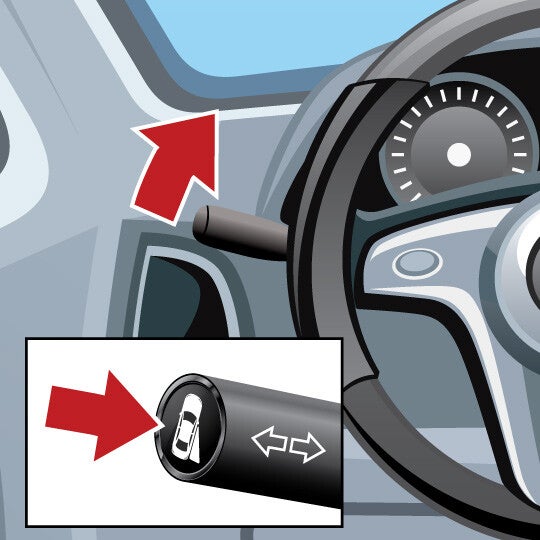
Sideview Camera Shows you an expanded view of a lane beside you when you use your turn signal, or when you activate the feature manually. This feature shares similar uses to blind spot monitors. Quick Guide 1. Activate Turn this feature on by using the turn signal or pressing a button on the turn signal lever. 2. View Look at the video display to see a view of the road on either side of your car. 3. Double-Check Always look over your shoulders and use side mirrors in addition to using this feature. How it works WHAT IT DOES This feature shows you a video view of what is next to – or coming up alongside – your car. THE TECHNOLOGY BEHIND IT This feature improves passenger-side visibility – and in some cases, offers the driver a 360 degree view of the surrounding area of the car. You can use this feature to protect bumpers, side mirrors, trim and wheel rims from damage at slow speeds. WHAT YOU NEED TO DO Use your turn signal, or activate the feature using a button usually located on your turn signal lever. If you want to use this feature while backing up, it may only turn on if you are going 3 to 7 miles per hour. TIPS FOR USING You should still check your mirrors and always look over both shoulders before changing lanes, parallel parking, making right turns, etc. Question & Answers Does this work for both sides of my car? Depending on your car model, you may be able to see a view of the left-side and/or the right-side of your car when using your turn signal (or when activating the feature manually). What if I want to see the lane next me but don’t need to change lanes? This feature is designed to activate when you use your turn signal. However, for most cars, you are free to turn on the sideview camera screen using a special button located on your turn signal lever. Check your car owner’s manual for more information on how to turn on this feature manually. Content Source: MyCarDoesWhat.org
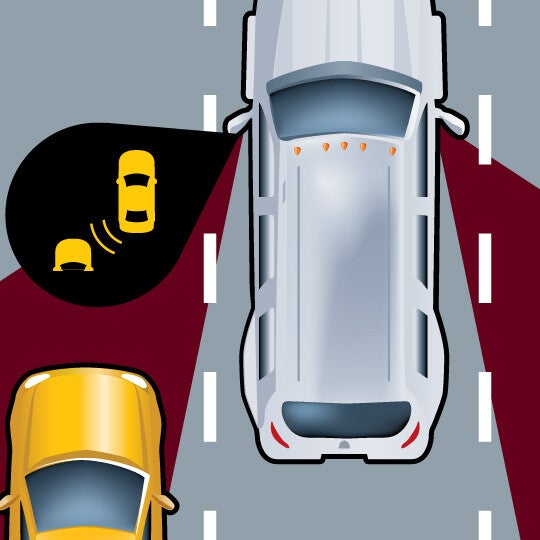
Blind Spot Warning These features warn you of cars driving in your blind spots. They may provide an additional warning if you use your turn signal when there is a car next to you in another lane. What It Does WHAT IT DOES: Uses a symbol, sound or vibration to let the driver know there are vehicles located in their blind spots. WHAT IT DOES NOT DO: May not detect motorcycles or very fast moving vehicles. Quick Guide 1. Be Prepared Watch for an alert if a vehicle enters your blind spot. 2. Understand Warnings A warning icon lights up when there's a car next to you. You may hear a warning or see a blinking icon if you engage your turn signal. 3. Look Remember to look over your shoulders and use turn signals before changing lanes. How it works WHAT IT DOES This feature will warn you if a car – or sometimes other objects – is in your left or right blind spot. Warnings will appear in your sideview mirrors or in the windshield frame. Some advanced versions of this feature may give you an audible warning (or other type of warning) if you use your turn signal and there is a vehicle in your blind spot. THE TECHNOLOGY BEHIND IT This feature uses sensors that are always monitoring the road to your sides. They are optimized to work at highway speeds. Advanced features will work with your turn signal to provide you additional warnings if you attempt to change into a lane where another car is right next to yours. WHAT YOU NEED TO DO Use the blind spot warning to help you be more aware of other traffic as you travel down highways. You can also use the warnings provided by the blind spot warning when you want to make a lane change – but you should still always look over your shoulders before doing so. TIPS FOR USING Make sure that your blind spot warning’s sensors are not blocked by moisture, snow, dirt or other material. Read your owner’s manual for more information on what the blind spot warning’s various warnings mean. Blind spot warnings are optimized for highway driving and highway speeds; they may not work as well with slow-moving or extremely fast vehicles. Some blind spot warnings are not optimized to detect motorcycles, bicycles or pedestrians. This is why you should always look over your shoulders to check your blind spots before making a lane change. Question & Answers What else is this feature called? Different manufacturers call this system different names. You may see it referred to as: Passive blind spot monitoring Blind spot information system Blind spot assist Side blind-zone alert Will this feature activate for any size of vehicle? Blind spot warnings best detect other vehicles traveling beside your car. However, not all features may be capable of detecting motorcycles, bicycles and other vehicles smaller than a regular-sized car. You should always be aware of your surroundings and the traffic around you as you drive. Always remember to do a head check to confirm there is not a car in your blind spot. After warning me with an icon, will my blind spot warning give me any other warnings? Some blind spot warnings come with alerts that will provide you with additional warnings if you initiate your turn signal and there is already a car in the lane next to you. Check your owner’s manual or with your dealership to find out if your blind spot warning has this capability. Content Source: MyCarDoesWhat.org
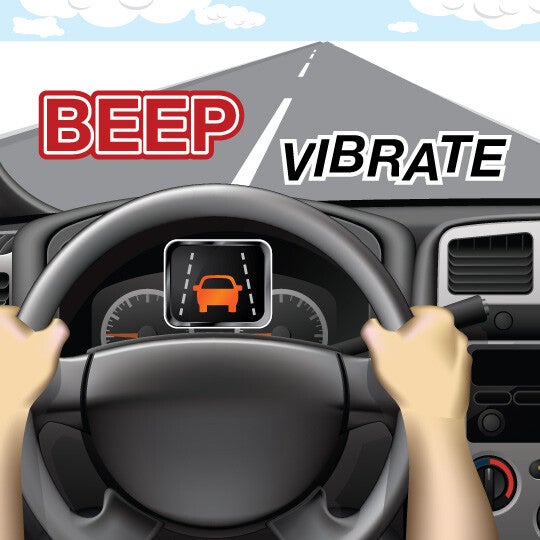
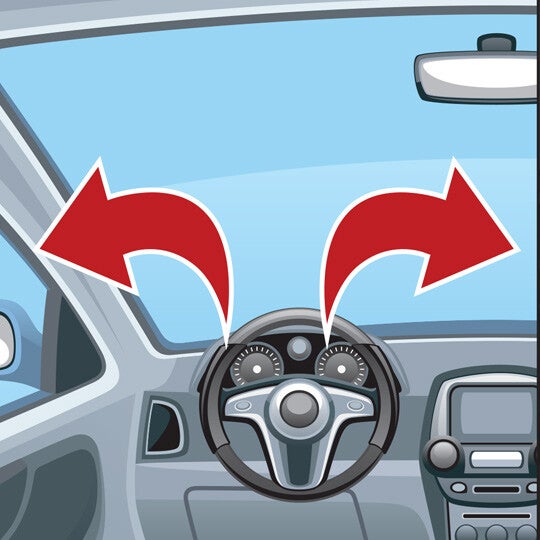
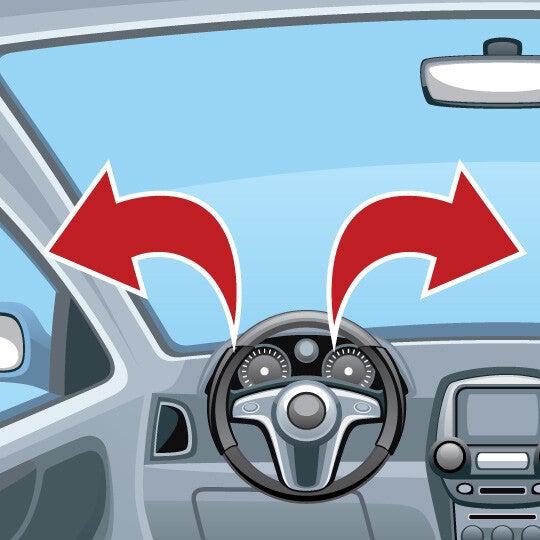
Lane Keeping Assist May gently steer you back into your lane if you begin to drift out of it. What It Does WHAT IT DOES: Works to keep you in your lane. Easily cancelled by nudging the wheel. WHAT IT DOES NOT DO: Will not work when lane lines are faint or covered with snow or dirt. Quick Guide 1. Stay Aware You may receive an alert - via a sound, flashing light or vibration - if you drift out of your lane. 2. Respond Return to your lane; if you don't take action, this feature may gently steer you back to the center of the lane. 3. Engage Slightly pulling the wheel will disable the lane keeping assist on most cars. How it works WHAT IT DOES This feature can help return you to your lane if you drift out. This could help prevent a crash. THE TECHNOLOGY BEHIND IT This feature relies on painted lane markings to operate. These include the markings between lanes and along the edges of the road. Some versions of this feature may also help prevent you from driving off the road. WHAT YOU NEED TO DO As you drive, always be aware of your surroundings and the traffic in the nearby lanes. However, if you do drift out of your lane, you’ll see a warning on your dashboard, hear a sound, or feel your seat or steering wheel vibrate. This is your lane departure warning activating. Then, if you don’t respond in time, lane keeping assist will gently steer for you, returning you to the center of the lane. TIPS FOR USING This feature relies on painted lane markings to operate. This feature is not designed to work with markers that are faded, covered, in disrepair, or are overly complicated. If the roadway is covered with snow, leaves, fog or debris, the lane keeping assist may not be able to detect the lane markings on the road. Turning your wheel will override this feature after it activates. Question & Answers What if there are no lane markings on the road? This feature will not work. Lane keeping assist relies on the lane departure warning feature, which reads lane markings, to determine if the car is leaving or has left the lane. If there are no lane markings or they are obscured, neither feature will function. Will this feature work if there’s snow on the ground? Lane departure warning and lane keeping assist must be able to read painted road markings. If these road markings are partially covered by snow, ice, leaves or mud, the lane departure warning and lane keeping assist will not function. Check your owner’s manual or ask your dealer about the limitations of this feature. Content Source: MyCarDoesWhat.org
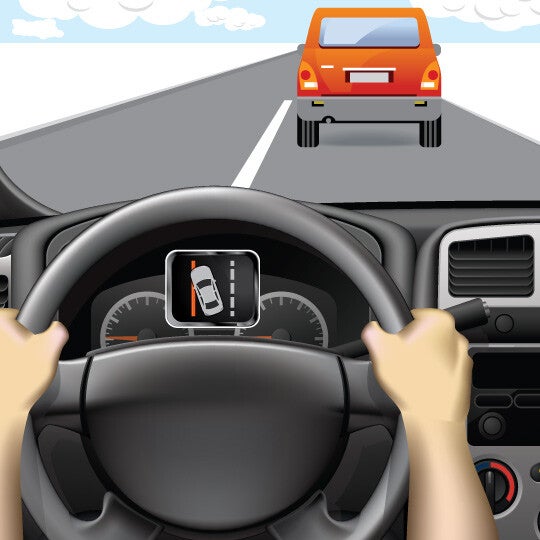
Lane Departure Warning Lane departure warning systems alert you if you’re drifting out of your lane using visual, vibration or sound warnings. What It Does WHAT IT DOES: On highways when painted road lines are clear and bright on both sides of the lane. WHAT IT DOES NOT DO: Driving when lane lines are covered or faded. Quick Guide 1. Stay Aware of the Warning You may receive a warning if you drift out of your lane. 2. Respond to the Warning Steer back to your lane if you receive an alert. 3. Signal When you change lanes, use your turn signal. How it works WHAT IT DOES This feature can help alert you to drive back to the center of your lane if you mistakenly drift, helping to prevent you from being in a crash. THE TECHNOLOGY BEHIND IT This feature relies on roadway markings to operate. It’s designed to alert you if your car begins to drift out out of a lane with one or more types of warnings. WHAT YOU NEED TO DO As you drive, always be aware of your surroundings and the traffic in the lanes beside you. However, if you do unintentionally begin to drift out of your lane, use this feature to help keep you within your lane. If you do drift out of your lane, you’ll receive warnings on your dashboard, hear a sound, or feel your seat or steering wheel vibrate. TIPS FOR USING This feature relies on lane markings to operate. This feature is not designed to work on unpaved roads or roads without lane markings. If the roadway is covered with snow, leaves, fog or debris, the lane departure warning may not be able to detect the lane markings on the road. Using your turn signal will override the lane departure warning. Question & Answers What if there are no lane markings on the road? Lane departure warning systems rely on road markings to determine if you have drifted out of your lane. If there are no lane markings present, this system may not be able to determine your lane position. Additionally, if the lane markings are fully or partially covered by snow, leaves, fog or debris, the system may not alert you if it can’t read the markings. Check your owner’s manual or with your dealership for more information on how your feature may function during adverse weather conditions. Will lane departure warning features work on highways? Lane departure warning systems work best with highway driving where the roads are mostly straight. Content Source: MyCarDoesWhat.org
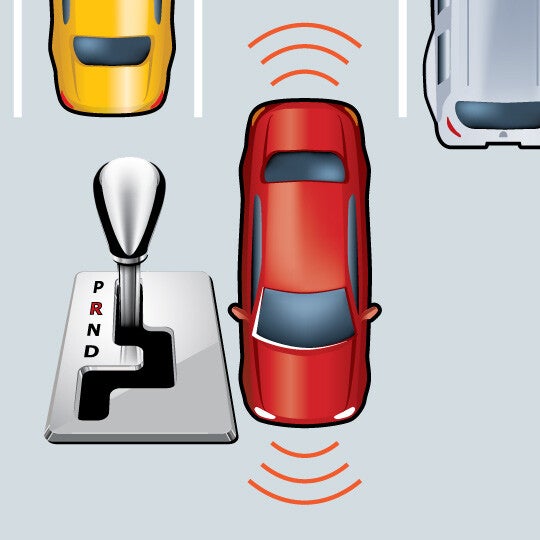
https://www.youtube.com/watch?time_continue=1&v=RtomEyPQhtM Parking Sensors Alerts you to the position of objects around your car as you park. Quick Guide 1. Shift Shift into reverse to activate the front and rear parking sensors. 2. Listen Listen for the speed of the warning sounds - a constant tone means you are close to an object. 3. Park Visually confirm your car is clear and park. How it works WHAT IT DOES This feature can detect objects in front and back of a car while parking, providing audible alerts if one or more objects are detected. THE TECHNOLOGY BEHIND IT Ultrasonic sensors in the front and back bumpers of the car can detect objects. In most cars, the front sensors can detect objects up to four feet and the back sensors can detect objects up to eight feet. WHAT YOU NEED TO DO When using this feature, listen for any audible warnings that there are objects in front or behind you as you are parking. The intervals between beeps become shorter the closer the car is to an object. Here are what the beeps mean: High-toned, continuous beeps indicate objects are detected near the front bumper. Low-toned beeps indicate objects are detected near the rear bumper. TIPS FOR USING Don’t fully rely on parking sensors to detect all objects in your parking path. They may not detect objects that are flat on the ground, below the bumper, too close to the car, or too far from it. Make sure the sensors are clear of any obstructions on the bumpers, such as snow or dirt. Stay aware of your surroundings while parking, including people or objects that may enter the parking path. Question & Answers Does this feature park my car for me automatically? No, this feature is not designed to park your car for you. You are in full control of your car during parking maneuvers when using this feature. Will this feature help me back out of a parking spot? This feature’s advanced sensors are meant to detect the immediate area surrounding a car to help you park. However, they may not be able to detect objects further away within your backing path, so you shouldn’t rely on this feature to help you back out of driveway or parking spot. This feature also is not capable to detecting cars or other moving objects about to enter your backing path – this is a task that is better suited for a feature such as rear cross traffic alert. Content Source: MyCarDoesWhat.org
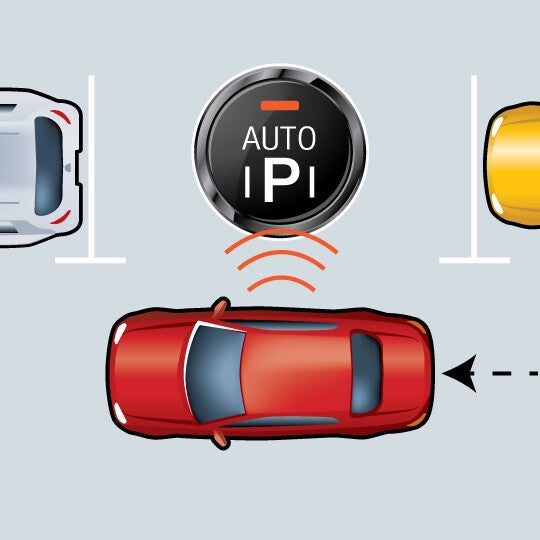
Automatic Parallel Parking Helps guide you into a parallel parking spot after searching and finding a viable option. You still are responsible for braking and monitoring your environment. What It Does WHAT IT DOES: Automatically steers the car into a parking space. WHAT IT DOES NOT DO: Brake or automatically shift gears Quick Guide 1. ACTIVATE Press the park button, find a parking space and pull forward until it notifies you that it has found a spot. 2. SHIFT Shift into reverse, release the brake slightly, and release the steering wheel. 3. FOLLOW INSTRUCTIONS Automatic parallel parking takes over and directs you when to shift into drive. Remember: You are responsible for braking with this feature. How it works WHAT IT DOES This feature can detect objects in front and back of a car while parking, providing audible alerts if one or more objects are detected. THE TECHNOLOGY BEHIND IT Advanced sensors read the gaps between cars in the area where you want to park. The feature won’t activate if there isn’t sufficient room to parallel park, which helps ensure that the car won’t bump into any nearby cars. When activated, this feature can then take over some of the vehicle’s steering and acceleration functions needed to park. WHAT YOU NEED TO DO Activate your car’s automatic parallel parking sensors when you are ready to park. Wait for your car’s automatic parallel parking system to inform you when it has found an appropriate spot for you to park. Follow any prompts provided by your car’s automatic parallel parking feature. These may include pulling in front of the space, shifting into reverse and taking your hands off the steering wheel. You’re responsible for braking. After your car is parked, you may need to do some slight adjustments to ensure your car is in an optimal position. TIPS FOR USING Remember that you are responsible for braking when using automatic parallel parking. You can override the automatic parallel parking maneuver by grabbing the steering wheel. Stay aware of your surroundings while parking, including people or objects that may enter the parking path. Make sure to read your owner’s manual for any directions you need to know when using this feature. If possible, you may want to practice using this feature at your dealership under the guidance of a customer representative. Question & Answers What about perpendicular parking? Some versions of automatic parking assisting features may be able to assist with perpendicular (straight-in) parking spots. Check your owner’s manual or with the technology provider for more information about your unique system’s features. How does this feature avoid hitting the cars in front and behind you when parallel parking? First, this feature will not allow you to activate it if a parking space does not have enough space to allow the feature to park your car. Second, when functioning properly, this feature is designed to not make contact with a car in front or behind your car as it maneuvers into the spot Can I use this feature in a spot without a curb? This depends greatly on the version of the automatic parallel parking feature you are using. Some features are designed so that it needs to be able to detect a curb before it will allow you to activate it. Other features are nearly exclusively reliant on the space between the two cars in which you want to parallel park, and not the presence of a curb. Content Source: MyCarDoesWhat.org
https://www.youtube.com/watch?time_continue=1&v=Z2DEanjr7ZE Rear Cross Traffic Alert Warns you if one or more vehicles are about to enter your backing path. What It Does WHAT IT DOES: Can detect cars that might be crossing as you back up. WHAT IT DOES NOT DO: May not detect cars behind you when parking spaces are angled; may not detect pedestrians. Quick Guide 1. Look Before backing, look over both shoulders and check the mirror. 2. Shift Put your car into reverse while holding the brake. 3. Be Aware If a vehicle is entering your backing path, a tone and flashing light on your mirror or dashboard may alert you to stop. If so, apply the brake – there may be a car crossing behind you. How it works WHAT IT DOES Rear cross traffic alert is designed to warn you of cars that are entering your backing path. You may not be able to see these cars as quickly as your rear cross traffic alert system can on a road or in a parking lot. THE TECHNOLOGY BEHIND IT Sensors around the rear of the car detect vehicles approaching from the left and right. A warning tone and flashing light on the mirrors or dashboard alert the driver to stop. WHAT YOU NEED TO DO First, make sure you have physically checked behind your car for any objects. Then, shift the car into reverse while you are holding your brake. Check over your shoulders and look at your side and rearview mirrors for any people, animals and objects. Back slowly, and stop if your rear cross traffic alert activates. These systems only work when you are backing straight out of a space or driveway. They don’t work in angled parking spots. TIPS FOR USING Always be sure that you’ve physically checked behind the car before backing out of a driveway or parking spot. There are some objects that back-up warning sensors may not detect, especially if they are located partially under the car. Read your owner’s manual for more information about scenarios in which your rear cross traffic alert may not have been designed to function. For example, if your rear cross traffic alert relies on ultra-sonic sensors, it may not work as well in enclosed spaces. It also does not typically work in angled parking spaces – only where your car is parked straight in. Question & Answers What are some common misconceptions about rear cross traffic alert? Drivers should understand that rear cross traffic alert and other similar backing aids should not be relied on completely. Drivers should always physically check behind the car before backing, as well as turn their heads and check that it’s safe as they begin to back up. Rear cross traffic alert also does not typically work in angled parking spaces. They only work if your car is parked straight in to a spot. Will rear cross traffic alert be required in all new cars at some point? At this time, not directly. By May 2018, all new vehicles weighing less than 10,000 pounds – including buses and trucks – will need to be equipped with a back-up camera. The federal rule behind the mandate does not specify that cars need to have rear cross traffic alert as well. However, manufacturers often pair rear cross traffic alert with back-up cameras, so the rule may end up increasing the popularity of rear cross traffic alert features in the near future. Where is rear cross traffic alert most useful? Rear cross traffic alert is most useful when backing out of a driveway that might be obscured by bushes, fences or another car. It also is useful when backing out of a parking space where the driver cannot see cars that may be coming from the left or right. Content Source: MyCarDoesWhat.org
Back-up Warning Alerts you of objects behind your car as you back out of spaces like driveways or parking spots. What It Does WHAT IT DOES: Uses rear sensors to scan for objects behind your car and alerts you if one is detected. WHAT IT DOES NOT DO: Will NOT always detect moving objects. Quick Guide 1. Check Before backing out of a parking spot, look over both shoulders and check your mirrors. 2. Be Aware If you feel or hear a warning, there may be an object in your backing path. 3. Take Action Turn and check to be sure it's safe before backing. How it works WHAT IT DOES The back-up warning feature scans behind your car when you shift into reverse. It will let you know – through a sound, vibration, or a mix – if there’s an object or car directly behind you. THE TECHNOLOGY BEHIND IT When the vehicle is in reverse, sensors mounted on the rear bumper detect objects in its path. If an object is in the way, the system may beep or vibrate. WHAT YOU NEED TO DO First, make sure you have physically checked behind your car before backing out. Then, shift the car into reverse while holding your brake. Check over your shoulders and look at your side and rearview mirrors for any people, animals and objects. Then, back slowly, and stop if your back-up warning activates. TIPS FOR USING Always be sure that you’ve physically checked behind the car before backing out of spaces like driveways or parking spots. There are some objects that back-up warning sensors may not detect, especially if they’re located partially under the car. Question & Answers What are some common misconceptions about back-up warning features? Drivers need to understand that back-up warnings should not be relied on completely. Drivers should always turn their heads and check that it’s safe before backing up. Additionally, drivers should always look behind their car before they enter it. According to several vehicle manuals, most back-up warning features will not detect small objects below the bumper or flat objects on the ground directly behind the car. Will back-up warning features be required in all new cars at some point? At this time, not directly. By May 2018, all new vehicles weighing less than 10,000 pounds – including buses and trucks – will need to be equipped with rear visibility systems. This rule most directly applies to back-up cameras, and don’t specify that cars also should have back-up warning systems. However, manufacturers often pair back-up warning features with back-up cameras, so the rule may end up increasing the amount of back-up warning systems in cars in the future. How do back-up warning features improve safety? Unintentional back-overs cause approximately 210 fatalities and 15,000 injuries each year, according to the National Highway Traffic Safety Administration (NHTSA). NHTSA expects rear view visibility systems that meet standards to be 28 to 33 percent more effective at avoiding back-over crashes. Content Source: MyCarDoesWhat.org

Warranties include 5-year/60,000 mile powertrain and 3-year/36,000 basic. All warranties and roadside assistance are limited. See retailer for warranty details.