Blog / Albertville Ford Dealer

Blog

All Albertville Ford Dealer Gilbert & Baugh Ford Blog Albertville Used Cars Albertville Ford Service Ford How To Videos Ford News News

Did You Know Some Vehicles Have A Drowsiness Alert?

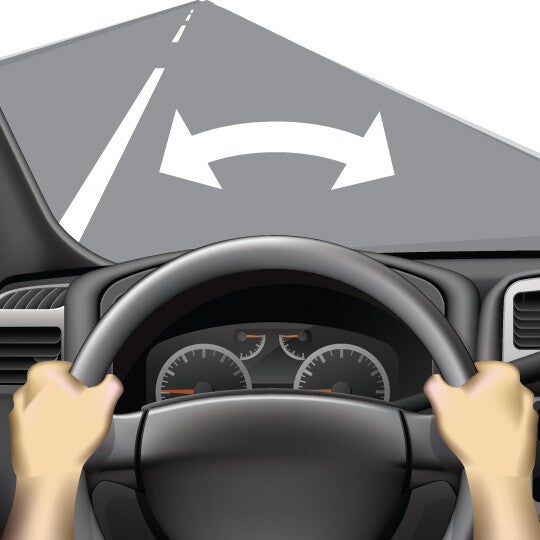
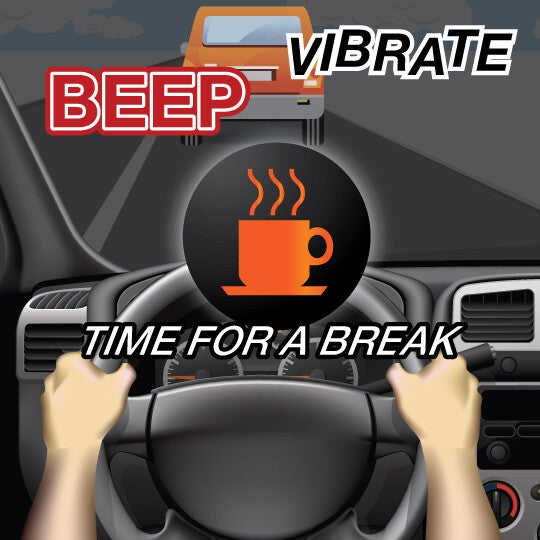
Drowsiness Alert This feature may alert you if you’re drowsy and suggest you take a break when it’s safe to do so. What It Does WHAT IT DOES: A coffee cup or other symbol appears on your dash suggesting you take a break. WHAT IT DOES NOT DO: This system will not necessarily steer you back into your lane. Quick Guide 1. Be alert If driving in and out of your lane, the feature will alert you with a sound, visual warning or vibration. 2. Stay focused Always drive alert and get plenty of rest. 3. Remember Remember: Don’t drive distracted. How it works WHAT IT DOES This feature can detect drowsy driving and alert you to take a break if it suspects you’re drowsy. Common versions of this feature do this by tracking how often you depart from the center of your lane over a set period of time. THE TECHNOLOGY BEHIND IT This feature borrows some of the sensors from lane departure warning systems to track lane markings and your car’s position in your lane. Many versions of drowsiness alert features will track how often you depart from your lane over a short period of time to determine if you may be drowsy. More advanced versions can “learn” what your normal driving patterns are when you aren’t drowsy. If you then begin to drive unusually – such as making many sudden maneuvers or stops – the system may suggest you may be drowsy and should take a driving break. WHAT YOU NEED TO DO Watch, listen and feel for cues from your drowsiness alert system that you may have become drowsy behind-the-wheel. Drowsiness alert systems display a coffee cup and message on your dashboard to take a driving break if it suspects that you’re drowsy. Some systems with audio alerts may verbally tell you that you may be drowsy and should take a break as soon as it’s safe to do so. Your seat may vibrate in some cars with drowsiness alerts. TIPS FOR USING Drowsiness alerts are designed to warn you that you have become drowsy after you have already begun driving; you shouldn’t get behind the wheel in the first place if you know you’re drowsy. Choose a safe, secure location to take a break. Some cars with drowsiness alert may automatically inform you of nearby rest areas using the built-in GPS. On long trips, plan ahead periodic driving breaks – every two hours or so – to reduce the risk of becoming drowsy behind-the-wheel. If driving with other licensed drivers, consider taking turns. Question & Answers Is it true that this feature can read my eye movements? Such a capability does exist, but only for certain versions of drowsiness alert. Those versions use a camera near the steering wheel to detect drowsiness by tracking head bobs and drooping eyelids. This capability is expected to become more popular as this feature evolves. Will this feature know right away if I’ve become sleepy behind the wheel? Most current versions of this feature that rely on tracking lane behavior cannot determine if a driver is drowsy right away. Typically, a driver must drift from the center of the lane a set number of times before the drowsiness alert activates. Check your owner’s manual or with the manufacturer of your particular drowsiness alert feature for more information on when and how it activates. Content Source: MyCarDoesWhat.org
Push Button Start Step 1

How Does Push Button Start Work?

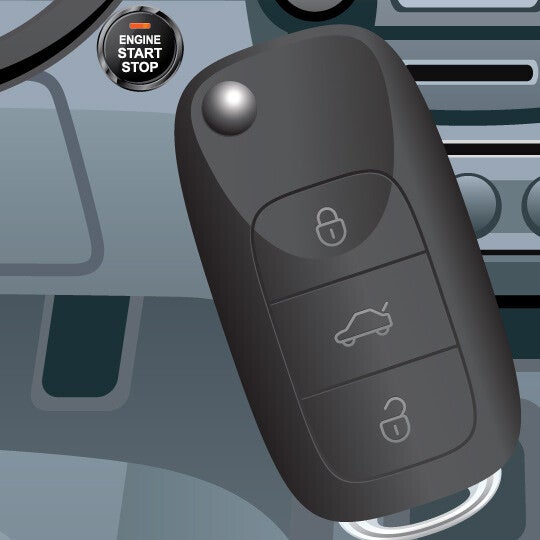
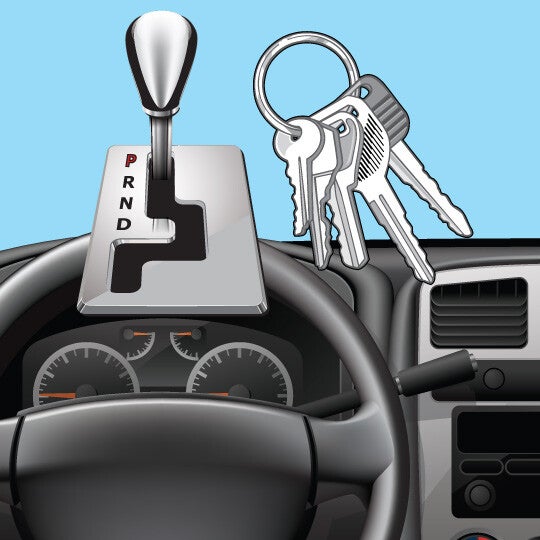
Push Button Start Simplifies turning your car on and off using a key fob unique to you. What It Does WHAT IT DOES: Makes it easy to turn your car on and off. WHAT IT DOES NOT DO: Start your engine if the brake is not applied or the gear is not in park. Quick Guide 1. Remember Key Fob Make sure the key fob is inside the vehicle with you. 2. Step on Brake Step on and hold the brake. 3. Push and Hold the Engine's Start/Stop Button Push and hold the engine start button until the engine starts or shuts off. How it works WHAT IT DOES This feature simplifies turning the car on and off – it’s really as simple as pressing and holding a button. THE TECHNOLOGY BEHIND IT This feature uses a unique signal from a key fob to activate only when your key fob is on or within a few feet of you. Only the signal from your key fob will allow you to turn on your car with a push button start. WHAT YOU NEED TO DO After you get into the car, you should apply the brake then press and hold the engine start/stop button until your engine turns on. To turn off your car, make sure your car is in the parked gear, then press the engine start/stop button until the engine shuts off completely. You may also want to apply the parking brake. TIPS FOR USING Make sure your car’s engine is off before getting out of your car. This reduces the risk of carbon monoxide poisoning if you leave your car in an enclosed area. As you do with any car, apply the parking brake after you’ve turned off your car in order to reduce the risk your vehicle will roll away. Question & Answers Does push button start make it easier for someone to steal my vehicle? Push button start provides superior car theft protection compared with keyed ignition. What do I do if I just want to turn on my radio? Push button start is designed to work similarly to using a traditional key ignition; you can turn on specific features by quickly pressing your push button start without holding it and without your foot on the brake. Check your owner’s manual for information on how many pushes activate which features of the car. One can think of push button start like this. With each press of the button, it’s like turning an ignition key one position at a time. With the foot off the brake, one touch turns on the radio.  Another touch turns on the dash and other accessories. Push it again and everything turns off. Content Source: MyCarDoesWhat.org

What is Hill Start Assist?

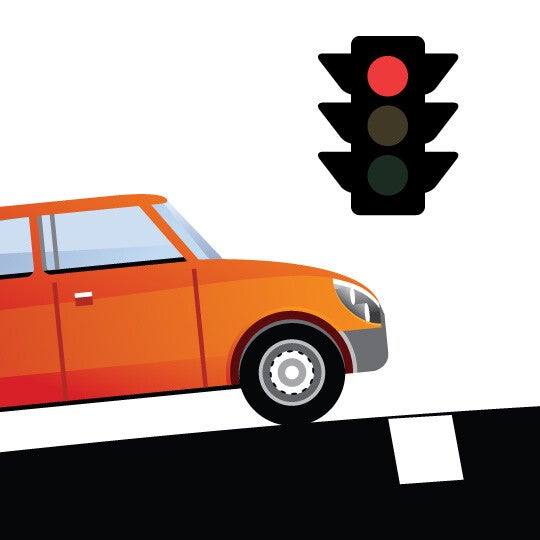
https://www.youtube.com/watch?time_continue=1&v=7-TKGDkBxCk Hill Start Assist Helps prevent roll-back when starting up again from a stopped position on an incline. What It Does WHAT IT DOES: Assists in keeping a car from rolling backward when stopped on a hill. WHAT IT DOES NOT DO: Manage a car’s speed going up a hill. Quick Guide 1. STOP ON A SLOPE Come to a complete stop on an incline, such as a hill. 2. HOLD THE BRAKE Continue to hold the brake as you remain stopped. 3. SWITCH PEDALS Hill start assist holds the brake for you while you switch your foot away from the brake pedal to begin driving again. How it works WHAT IT DOES This feature can prevent rollback on an incline by holding the brakes while you switch between the brake and acceleration pedals. Some versions can also prevent your car from rolling forward on a decline. THE TECHNOLOGY BEHIND IT Sensors in the vehicle are used to detect when a vehicle is on an incline. The hill start assist maintains the brake pressure for a set period of time as you switch from the brakes to the gas pedal. Once you press the accelerator, it releases the brake.  In cars with manual transmission that have this feature, the hill start assist will also maintain brake pressure until the driver lets up on the clutch. WHAT YOU NEED TO DO Continue to approach and drive up includes such as hills as you normally would. When stopping on an incline, such as at a stop light, hold the brake using the same pressure as you normally would. As you shift your foot away from the brake pedal momentarily, the car should remain stopped instead of rolling back slightly. TIPS FOR USING Hill start assist does not increase your traction, it just prevents you from rolling backwards (or in some cases, forwards if you are pointing down hills and are backing up). When stopped, be sure to remain aware your surroundings. Question & Answers Does hill start assist allow me to drive up any hill now, regardless of how steep it is? Unfortunately, no. Hill start assist is not intended to function on a hill or other incline that is so steep that you wouldn’t be able to brake on it normally. Also, certain road surface conditions can also prevent hill start assist from stopping the vehicle on an incline; these include snowy and icy driving conditions where the car may slide once the brake is engaged. Is this feature available on vehicles with manual transmission vehicles? There are some vehicles today with manual transmission that also offer hill start assist. Content Source: MyCarDoesWhat.org

Hill Descent Assist Does What?

Hill Descent Assist Helps keep you at a steady speed when driving down a hill or other decline. What It Does WHAT IT DOES: Steady the car’s speed when driving down a hill. WHAT IT DOES NOT DO: Manage a car’s speed going up a hill. Quick Guide 1. REDUCE YOUR SPEED Reduce your speed before you enter a decline or uneven terrain. 2. SCAN FOR HAZARDS The hill descent assist helps maintain a safe speed without you needing to use the brakes. 3. TAKE ACTION IF NEEDED Brake or steer to safety if a hazard enters your downhill driving path. How it works WHAT IT DOES This feature keeps helps keep your vehicle at a pre-determined safe speed when traveling downhill or on very uneven terrain. This allows you to focus more on scanning the downhill path for potential hazards. THE TECHNOLOGY BEHIND IT This feature works with your vehicle’s existing braking systems to block you from going past a certain speed while traveling downhill or on unsteady terrain. If your car begins accelerating past a safe downhill speed, this feature will further apply the brakes. WHAT YOU NEED TO DO First, you need to activate your hill descent assist, which is typically found somewhere on your dashboard near your vehicle’s traction control button. Some versions may be activated from your multifunction display or in your terrain management control’s dial. As you are about to enter a decline, reduce your speed below your feature’s activation threshold. The hill descent assist will ensure your vehicle doesn’t reach an unsafe declining speed by further applying the brakes if needed. TIPS FOR USING Don’t attempt to travel down hills or other declines that are steeper than you would normally attempt to traverse when using hill descent assist. Some versions of hill descent assist will activate your brake lights when it activates; if yours doesn’t, make sure to continue lightly holding the brake to ensure drivers behind you know you may be gradually slowing. When driving downhill, scan the road ahead for any dangers and be prepared to steer to safety if necessary. Question & Answers How quickly can I go downhill with hill descent assist? This feature is designed to prevent you from entering an unsafe speed while you travel downhill or on uneven terrain. The feature is intended to assist you in maintaining control of the vehicle, by traveling at a safe speed downhill. Most cars differ in their allowable operating range for hill descent assist, with some allowing you to go as slow as 3 mph or as fast as 38 mph. Will hill descent assist work while I’m reversing? Some versions of this feature will operate while traveling downhill in reverse, such as reversing out of a driveway that was built on a hill. Other versions of this feature will not work in reverse, however, so check your owner’s manual or with your vehicle’s manufacturer to determine whether it can work in reverse or not. How does hill descent assist make me safer? Downhill driving can be unpredictable and dangerous – especially if it’s an extended decent, even on multi-lane roads. This feature uses the engine and transmission to “down shift” to help keep the vehicle speed under control so you don’t rely solely on the brakes. Using your brakes continually for an extended period of time may result in overheating, which could result in brake failure. Content Source: MyCarDoesWhat.org

Why Your Vehicle Has a Temperature Warning

Temperature Warning Alerts you when the outside temperature is detected to be at or below freezing, which can impact the conditions of roadways. This recently introduced feature uses temperature readings and other information to help warn drivers when roads are or may become icy. Quick Guide 1. TURN ON CAR Turn on car normally. 2. KNOW YOUR WARNING Look to the dashboard for a warning that the temperature is below freezing. 3. ADJUST PLANS IF NEEDED Choose to delay driving or change your mode of transportation if conditions are too dangerous for driving. How it works WHAT IT DOES This feature warns drivers when the temperature is below freezing outside – which is an indicator that there may be ice on the roads – which will help drivers be on the lookout for slippery conditions. THE TECHNOLOGY BEHIND IT A thermometer works with your vehicle’s dashboard or infotainment system to warn you when the outside temperature drops below freezing (0 degrees Celsius or 32 degrees Fahrenheit). Most versions of temperature warnings don’t take into account the vehicle’s internal temperature, just the temperature outside (which is more relevant in whether there is ice on the grounds). WHAT YOU NEED TO DO If you receive a temperature warning, you should use this information as one of the many factors you should consider on whether it is safe to drive. Other factors to consider include what you already know about the weather between you and your driving destination and your car’s handling in snowy weather or on ice. This warning should remind you of factors that could make it more dangerous to drive when combined with icy roads, such as driving at night or over bridges. TIPS FOR USING Even if you don’t get a temperature warning when turning on the car, consider the temperature and weather at your destination when deciding whether it’s safe to drive. Sometimes, the temperature can go from above freezing to below freezing over a short distance. Temperature warnings can help identify those times. It’s important to be generally aware of the weather outside before departing on a trip and to not rely exclusively on your temperature warning for information about potential driving conditions Question & Answers What else is this feature called? You may also see this feature called road surface temperature warning in some cars. Does this feature monitor the condition of the road directly beneath my vehicle while driving? While today’s temperature warning and road surface warning features don’t manually scan the road to determine its condition, future versions of this feature may have these capabilities. Continue checking out MyCarDoesWhat.org to learn more! What other roadway conditions does this feature warn me of besides ice? Currently, temperature warning systems only alert you to the possibility that there may be ice on the roads. Does the temperature warning feature mean there is black ice on the roads? Black ice is formed by cold temperatures and moisture. While it may be below freezing outside, if roads don’t have adequate moisture to form ice, it isn’t likely that there is black ice on the roads. However, black ice is very difficult to detect – even when driving on it – so if you’re driving a long distance, it’s not safe to assume that just because your current location doesn’t have black ice there isn’t black ice further along the road. Content Source: MyCarDoesWhat.org

Tire Pressure Monitoring System Step 1

The Importance of the Tire Pressure Monitoring System

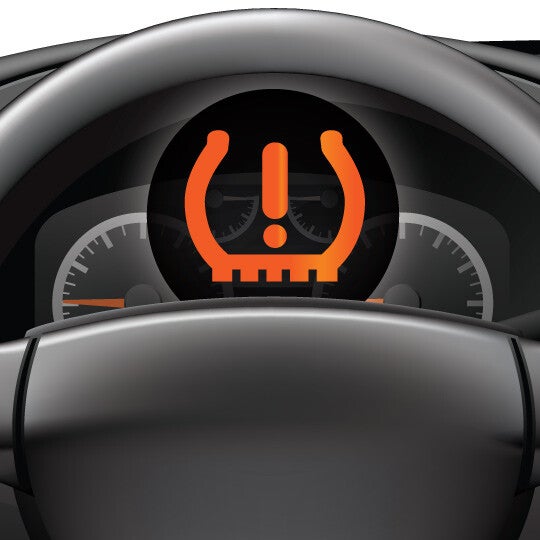
Tire Pressure Monitoring System Tire pressure monitoring systems (TPMS) may warn you if your tires are under- or over-inflated, helping increase your fuel economy and even potentially preventing a tire blowout. What It Does WHAT IT DOES: Lets you know if tire pressure has changed; common in change of seasons – especially from warmer to colder – or change of elevation WHAT IT DOES NOT DO: May not specify which of the tires needs attention. Quick Guide 1. Be Aware One or more of your tires are seriously under-inflated if this symbol appears. For some cars, it may also appear for over-inflation. 2. Stop When Safe If you're driving, pull over when safe to check each tire's pressure for under- or over-inflation. 3. Take Action Follow your tires' pressure guidelines to inflate or deflate the tires to a normal pressure range. How it works WHAT IT DOES This feature monitors your tires’ pressures and warns you if you have one or more under-inflated tires. Poorly inflated tires are prone to blow outs and may make it more difficult to brake or steer. Some versions of this feature can also detect over-inflation. Both under- and over-inflation will affect the life of your tires and your car’s gas mileage. THE TECHNOLOGY BEHIND IT There are two main types of TPMS sensors. Direct sensors are small, wireless devices inside each tire, which report the tire’s pressure reading to your dashboard. Indirect sensors work by measuring wheel spin and can only tell if a tire’s pressure is low. WHAT YOU NEED TO DO If your TPMS symbol is on, check the pressure for each tire to determine if one or more tires have abnormal pressure readings. Add or subtract air at a gas station to their recommended pressure ranges. In many cars, the TPMS symbol should then no longer activate. If it does, there may be a problem with the sensor itself as many use a watch battery that lasts about 5 to 10 years. TIPS FOR USING When you see your TPMS dashboard light come on, you don’t need to pull over immediately. You can wait for a safe break in traffic before you pull over to inspect your tires. You should still check the pressure of each tire manually if you’re planning on taking a long trip or after returning from a long trip. Long use – especially in very cold and very warm climates – can change your tires’ pressures enough to affect their functionality. Make it a habit to check your tires’ pressures at the beginning of every new season. Question & Answers Is this feature required by law? Yes; the federal government required all new cars to include this system starting in late 2007. Does this feature let me know if my tires are over-inflated? Most do. However, some features only detect for under-inflation. Check your owner’s manual for information specific to your vehicle. Can TPMS save me money? Tire pressure monitoring systems have the potential to save you money directly and indirectly. According to information from AAA and Safercar.gov from May 2014: Properly inflated tires can save you as much as 11 cents per gallon on fuel. Proper tire maintenance such as balancing, rotating and inflation can improve mileage and extend the life of tires by up to 4,700 miles. Properly inflated tires can improve a car’s mileage per gallon. Content Source: MyCarDoesWhat.org

What is Electronic Stability Control?

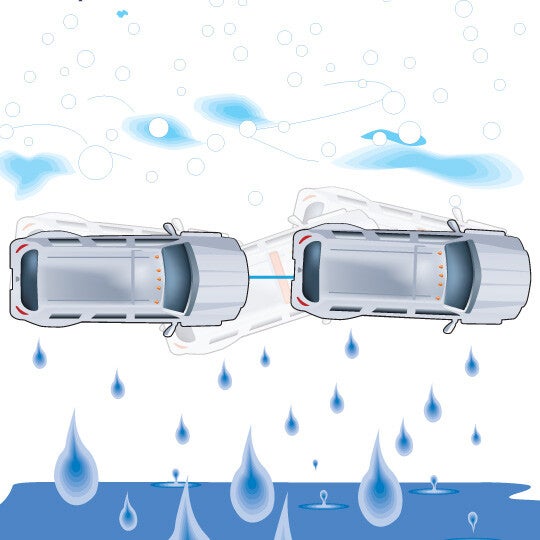
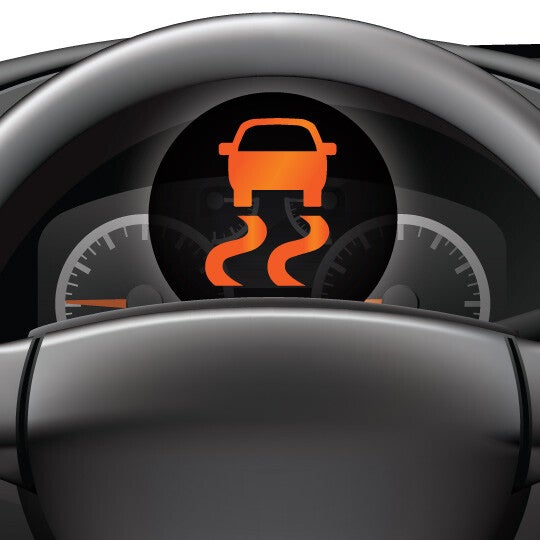
Electronic Stability Control Helps prevent loss of control in curves and emergency steering maneuvers by stabilizing your car when it begins to veer off your intended path. What It Does WHAT IT DOES: Works automatically to help the driver maintain control of the car during hard steering maneuvers. WHAT IT DOES NOT DO: May or may not prevent a rollover. Will not apply hard braking or steering automatically. Quick Guide 1. ACTIVATE Electronic stability control (ESC) activates when you start your car. 2. USE ESC engages automatically to help prevent oversteering and understeering. 3. STAY ON PATH ESC works by braking individual wheels and reducing engine speed - helping you maintain control. How it works WHAT IT DOES This feature helps prevent you from losing control of the direction of your car due to a spin out or plow out. When effective, this also significantly reduces your risk of being in a rollover – one of the most dangerous types of single-vehicle crashes. THE TECHNOLOGY BEHIND IT A series of sensors read the direction your vehicle is going, the position on your steering wheel and the brakes on your tires. If they detect that the car isn’t going in the direction you intended it to go, this feature helps correct your car back on-route by adjusting your speed and selectively braking one or more wheels. Without ESC, as this image shows, you may depart the road or get into a crash. WHAT YOU NEED TO DO Spin outs and plow outs most often occur when you are taking turns too sharply and quickly; and when you make sudden maneuvers on slippery roads. You should always be sure to take turns slowly and carefully – which may require you to reduce your speed – and adjust your following distance on slippery roads so that you can brake or steer to safety sooner when needed. TIPS FOR USING Electronic stability control works most effectively when your car’s anti-lock braking system is working effectively. If you are having problems with your ABS, your ESC may not work well or at all. Common causes of 4-wheel ABS malfunctions include worn brake linings and air or dirt in the brake fluid. Both ESC and ABS work most effectively when the tires are properly inflated and in good condition. Question & Answers What else is this feature called? Other common names for this feature include dynamic stability control and vehicle stability control. Is electronic stability control a required feature? Electronic stability control (ESC) has been standard on higher-end vehicles, pick-up trucks and SUVs for a number of years. However, it became a requirement for all new cars beginning Sept. 1, 2011. ESC is designed to help prevent rollovers – what makes them so dangerous? The primary reason that ESC is now required on new cars is that it has been proven to help prevent rollovers and other loss of control crashes in which hard steering is involved. Rollovers are dangerous because the injuries sustained in this type of crash tend to be more severe and fatal than any other type of crash. What do I need to do when using ESC? ESC is designed to automatically help stabilize your car when it detects a momentary loss of control, like going around a corner too fast. It’s on when you turn on your car and will activate when it detects you may be losing control. . What do I do if my ESC is malfunctioning? New cars are designed to warn you as soon as ESC is malfunctioning. The government mandates that in cars made after Sept. 1, 2011, the malfunction icon or warning must remain active for as long as ESC is not working. The location and display of your specific car’s warning may be different depending on the manufacturer. ESC relies on the anti-lock braking system (ABS) and the traction control systems to function; if one or both of those systems are not operating correctly, ESC is unable to help stabilize your car in emergencies. If you are receiving an ESC malfunctioning icon, it may mean there is something wrong with your ABS, traction control or your ESC system directly. If you receive a warning, bring your car to your dealer or a mechanic as soon as it is safe to do so. When fixed, the malfunction warning should turn off in new cars the next time you turn on your car. Content Source: MyCarDoesWhat.org

Adaptive Cruise Control Step 1

Adaptive Cruise Control Explained

Adaptive Cruise Control Not only maintains your set speed, but your following distance as well; provides some limited braking. What It Does WHAT IT DOES: Automatically speeds up and slows down your car to keep a set following distance relative to the car ahead. Provides some braking. WHAT IT DOES NOT DO: You need to understand how much braking the system can do—some will brake to a stop, most will only brake so much. Quick Guide 1. Set Speed Set your desired speed. 2. Set Gap Set your desired following distance, or gap; if the gap changes, ACC slows or speeds up to maintain gap. 3. Stay Focused As always, be aware of the traffic around you. How it works WHAT IT DOES Adaptive cruise control can increase or decrease your car’s speed to maintain a following distance that you set. Advanced versions can even slow and stop your car in traffic jams, then accelerate for you. THE TECHNOLOGY BEHIND IT One or more sensors – including radar and computer-connected cameras – read the road ahead of you for traffic. They are capable of reading and responding to any cars that are in front of you in your lane. WHAT YOU NEED TO DO Accelerate to your set speed, then turn on the ACC. Tell the ACC how close you want your following distance gap to be (generally short, medium and long distances), and it’s then set to begin working. However, you should still stay aware of your surroundings. In bad weather and other unsafe driving conditions, it is advised not to use ACC. Refer to your owner’s manual for more information. TIPS FOR USING Be aware that ACC may not work effectively in certain types of weather conditions. Some examples of these include heavy fog or rain; having dirt, snow or ice covering the sensors; or when the roadways are slippery. These systems also may not work in tunnels. ACC allows you to spend less energy maintaining your following distance with the cars in front of you. You should use this opportunity to pay more attention to the traffic mix, including cars ahead of you and in adjacent lanes. Check your owner’s manual to see if your ACC is capable of slowing your car to a stop, or if you need to stop on your own. Question & Answers What are some other names for this feature? This feature may be marketed under the following names, in addition to others: Automatic cruise control Active cruise control Cooperative adaptive cruise control Intelligent cruise control Radar cruise control What are my options for following distance? Most car brands’ versions of ACC have similar options for following distance, such as “short, medium and long.” Some vehicles can even offer four or five following distance options. Read your owner’s manual for more information on what each following distance setting means. Will my adaptive cruise control work in bad weather? Each brand’s version of ACC uses one or more sensors to operate – from radar to camera sensors. Some examples of bad weather that could affect these sensors include heavy fog or rain; having dirt, snow or ice covering the sensors; or when the conditions are slippery. These systems also may not work in tunnels. Can my adaptive cruise control completely stop my car? Most versions of ACC that have been introduced to the market are capable of slowing down your car when the car in front of you slows, but then require you to apply more braking. Just like regular cruise control, once you touch the brakes, you will need to reactivate your ACC. Some modern versions of ACC have the advanced capability to stop your car on its own, then start it up again. Referred to as “stop-and-go ACC,” this advanced feature is helpful in traffic jams. Content Source: MyCarDoesWhat.org
What is High Speed Alert in Your Vehicle?

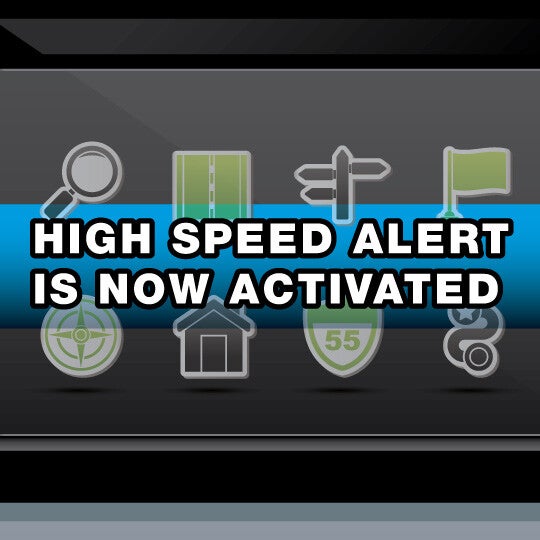
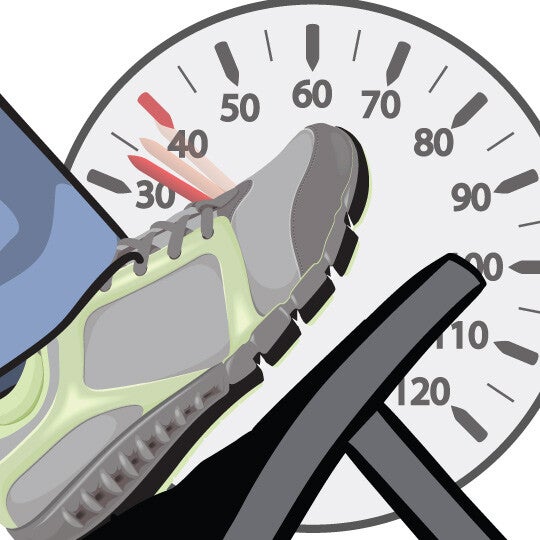
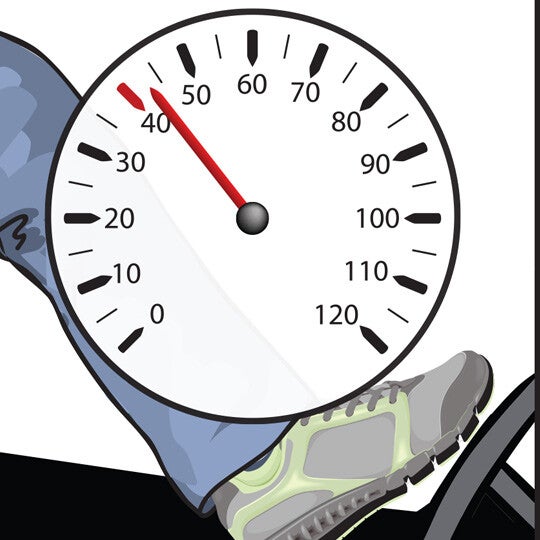
High Speed Alert An alert that sounds if you’re speeding. This feature coordinates the car’s position, via GPS, with a database of speed limit information to alert drivers if they’re speeding. This helps drivers maintain a safe driving speed. Newer versions may use a camera to read speed limit signs. A more advanced version of this feature, called intelligent speed adaptation, would be capable of slowing down the car automatically if a driver passes the speed limit. Drivers would be able to override most versions of intelligent speed adaptation. This feature currently is being researched in Europe and the United States, among other countries. Quick Guide 1. ACTIVATE & UPDATE Activate high speed alert in your GPS or vehicle’s settings if it isn’t on by default; make sure it’s updated. 2. PREPARE FOR WARNINGS Look for warning symbols and/or listen for warning beeps that indicate you’re going above the speed limit. 3. ADJUST SPEED Gently slow the vehicle to the appropriate speed. How it works WHAT IT DOES This feature lets you know when you’re speeding so that you can slow down to an appropriate speed. THE TECHNOLOGY BEHIND IT The global positioning system (GPS) unit compares a database of known road speed limits against your actual speed through the use of a built-in speed sensor. Some versions may also track school and work zones; future versions may be able to read speed limits though a camera. WHAT YOU NEED TO DO First, make sure your GPS or car’s infotainment center is fully up-to-date. Then, listen and/or look for high speed alerts, such as beeps or visual warnings such as color changes on your display. If you’re warned, carefully slow your car to the appropriate posted speed limit by letting off the throttle or lightly braking. Refrain from slamming the brakes to maintain a safe speed. TIPS FOR USING • If you’re unsure how to update your internal or external GPS, contact your car’s manufacturer or the manufacturer of the GPS unit. • When in doubt, always rely on the posted speed limits on the roads. • Some high speed alerts may not take into account school and work zones, so be sure to keep track of all posted speed signs as you drive. Question & Answers How do I know if I have this feature? This feature is included in some cars’ built-in infotainment systems on your multifunction display as well as in many after-market GPS units. Check your device’s owner’s manual to find out whether you have high speed alert. How should I react if I get a high speed alert? If you get a high speed alert, gently slow your car to match the speed limit. You can do this by letting off the throttle until your car slows to the appropriate speed or by lightly braking. Be aware of traffic behind you as you slow down. My high speed alert doesn’t go off even though the roads signs indicate I’m speeding. Is my system not working? If this happens, it could mean that your GPS’s maps are not fully updated or complete. You should update your GPS unit before your next driving trip. A lack of alerts could also mean that you’re driving on a road that has recently begun construction or switched speed zones. When in doubt, rely on the posted speed limits, not your high speed alert. Content Source: MyCarDoesWhat.org
What Does Traction Control Do?

Traction Control Works in the background to help accelerate and prevent wheel slippage (or “over-spinning”) when driving on slippery surfaces. Traction control is most effective when accelerating from a stopped or slowed position, or when trying to accelerate up a slippery hill. This feature provides a lot of benefits to drivers, from making driving smoother to helping them stay in control of the car on icy roads or during rainy weather. Drivers should be sure to reduce their speed and take turns more slowly when driving in slippery conditions. What It Does WHAT IT DOES: Helps your wheels gain traction on slippery surfaces. WHAT IT DOES NOT DO: Does not work as well as snow tires. Quick Guide 1. Increases Traction Helps prevent wheels from spinningon slippery surfaces And increases tractionwhen accelerating. 2. When to turn off Turn off Traction Control if stuck in mud or snow and need to rockthe car Or when using tire chains . 3. Engage Traction Control will only engagewhen your wheels start to slip. Question & Answers What happens when I press my traction control button? When turned off, you may notice that your vehicle handles differently than you are used to when driving on slippery surfaces. This is why you should leave your traction control on at all times. Why would I ever need to turn off my traction control? You should leave your traction control at all times so that you can benefit from this important safety feature. However, in very rare circumstances, you may need to turn the traction control off temporarily. These include the following: You are driving in a region that requires your tires to have chains, and your vehicle’s traction control is interfering with your ability to drive. Your car is trapped in very deep snow, mud or other surface in which your car cannot move out on its own. Turning off traction control while you rock your car may help you drive out faster. Content Source: MyCarDoesWhat.org
What is Pedestrian Detection?

Pedestrian Detection Uses advanced sensors to detect human movements; some versions may urgently apply the brakes if the driver fails to respond. What It Does WHAT IT DOES: Alerts the driver or automatically brakes if there is a pedestrian in the path between a certain speed range—generally around 25 mph. WHAT IT DOES NOT DO: Steer. Quick Guide 1. Scan Scan the path ahead. 2. Focus Always look for cars, objects and people. 3. Know Know your system. Listen, and look for dashboard warnings. How it works WHAT IT DOES Uses advanced sensors to detect human movements ahead and alert the driver. Some may automatically apply the brakes. THE TECHNOLOGY BEHIND IT Stereoscopic cameras mounted behind the rearview mirror and radar have become effective at detecting the more subtle movements of people. These systems are more effective at slower speeds. Pedestrian Detection may not always be able to help avoid a collision, but this feature can help reduce the speed enough to make the impact more survivable. As research progresses, infrared technology is being added to improve performance, especially at night. WHAT YOU NEED TO DO Always scan the road and horizon ahead looking for pedestrians. Read the owner’s manual so you understand: exactly how you will be warned if the system detects a pedestrian. how your car may respond (e.g. automatic braking). TIPS FOR USING Systems like Pedestrian Detection are not a replacement for an attentive driver. Always scan the road and area ahead, not just the cars in front of you. Remember, you as a driver can’t always predict what a person, especially a child, standing on a curb might do. A computer can’t predict this either. Twilight and dusk are among the most dangerous times for pedestrians and drivers. We think we can still see as though it’s daytime, but vision is greatly reduced during these hours. Content Source: MyCarDoesWhat.org
What is Obstacle Detection?

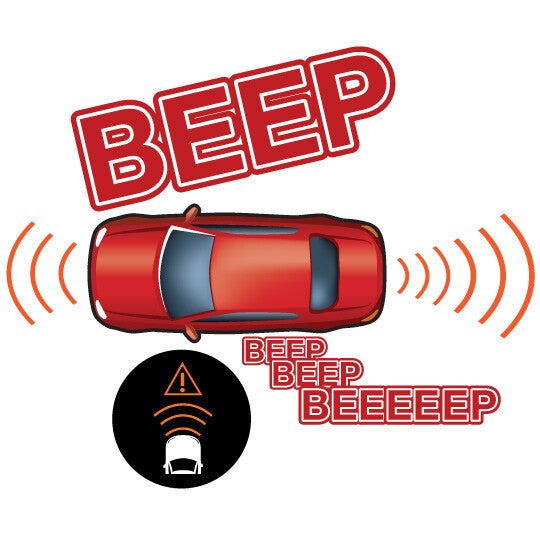
Obstacle Detection Can sense slow-moving or stationary objects when driving at low speeds. Some may even brake for you to avoid obstacles. This feature activates at slow speeds and will provide warnings of impending collisions. For some versions, it will brake the car automatically. What It Does WHAT IT DOES: Uses sensors mounted in the front and or rear bumpers to determine the distance between the car and nearby objects. WHAT IT DOES NOT DO: It is not as susceptible to low-visibility conditions like fog, snow and rain because it uses radar and sonar technology versus a camera. Quick Guide 1. Pay attention Pay attention to beeps and lights when backing and parking. 2. Be Ready to React Be prepared to react if an obstacle is detected behind you, or in front of your bumper for some systems. 3. Know the Limits Don’t only rely on this technology. Use your mirrors and eyes. How it works WHAT IT DOES The parking obstacle detection system warns a driver about nearby obstacles that are usually low to the ground (e.g., hydrant, bicycle, guard rail). It’s primarily for backing-up or for slow maneuvering when parking. THE TECHNOLOGY BEHIND IT An obstacle detection system uses ultrasonic sensors mounted on the front and/or rear bumpers. These sensors can measure the distance between your car and nearby obstacles directly around the front or rear bumper. The driver is alerted by beeps or the dashboard display. The beeps become faster as the vehicle moves closer to the obstacle. A collision is imminent when the beeps become a continuous tone. WHAT YOU NEED TO DO This feature varies among car models. Know how your car’s system works before driving, especially if it’s a rental car. Also, make sure the sensors are clean and not covered by debris or stickers. TIPS FOR USING The obstacle detection feature is not a substitute for using your mirrors and your eyes. Get to know how your particular system works. It’s a good idea to always walk around your car before driving. Question & Answers When should I use my obstacle detection system? This feature is designed to warn you during parking that you may be close to another object like another car or garage wall. Your owner’s manual can offer more details. Will this feature detect people or children? It may be able to detect in some conditions, but this feature was NOT designed to detect people. Can I turn this feature off? Yes. There is usually the capability to disable the obstacle detection system. Check your manual for details. Content Source: MyCarDoesWhat.org
Contact Us

Fill out this form below and we'll contact you shortly
*Required Fields